Introduction
In this digital age, efficiency and productivity are crucial factors when it comes to managing vast amounts of data. Among the myriad of tools available, Microsoft Excel stands out as a preferred choice for professionals across various industries. In this regard, the ability to navigate and utilize Excel expertly can significantly enhance one’s performance and effectiveness.
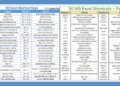
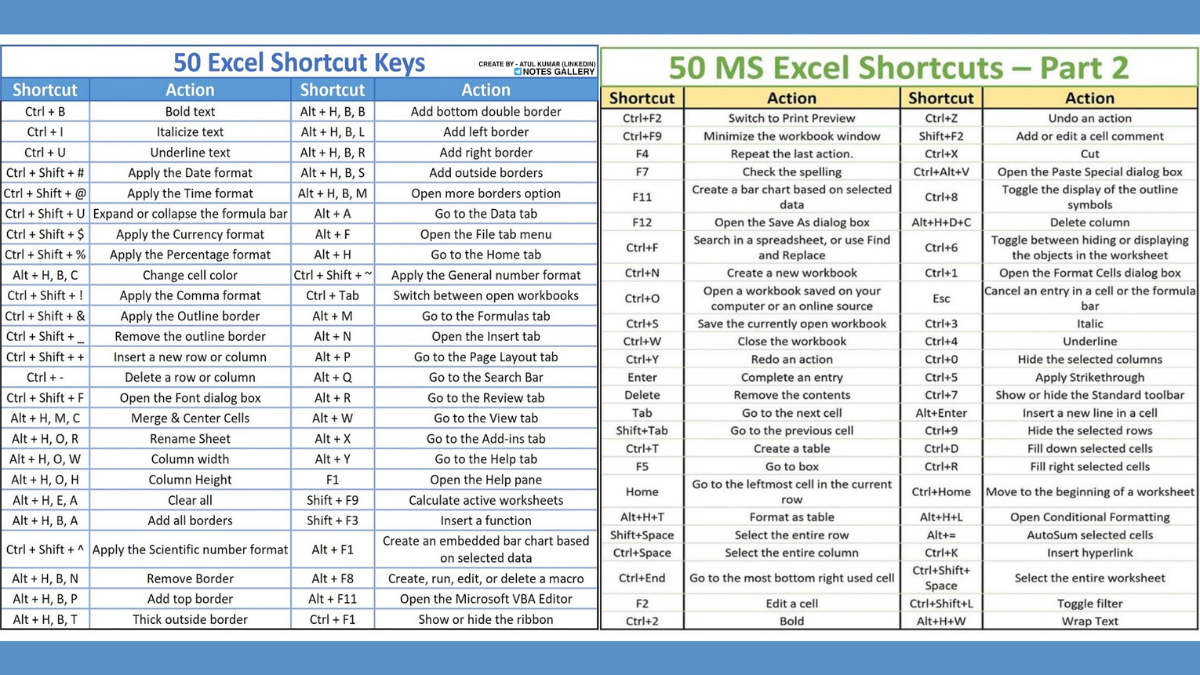
Understanding the demand for streamlined workflow, our team has meticulously compiled a comprehensive document titled ’50 Excel Shortcut Keys.’ This PDF serves as an invaluable resource, designed to help users make the most out of their Excel experience. By mastering these shortcuts, users can save time, reduce the likelihood of errors, and improve their overall data handling capabilities.
Whether you are a seasoned Excel user or a novice looking to improve your skills, this guide is designed to meet your needs. As you delve into the details, you’ll discover the various benefits associated with incorporating these shortcuts into your routine. Enhanced productivity, improved accuracy, and faster data management are just a few of the advantages you can expect.
Overview of the Document
The ’50 Excel Shortcut Key PDF’ serves as an invaluable resource tailored for both novices and seasoned Excel users. This document comprehensively covers a wide array of shortcuts, designed to enhance efficiency across various tasks within the software. By leveraging these Excel shortcut keys, users can significantly boost their productivity, whether they are engaged in data entry, complex analysis, or routine administrative tasks.

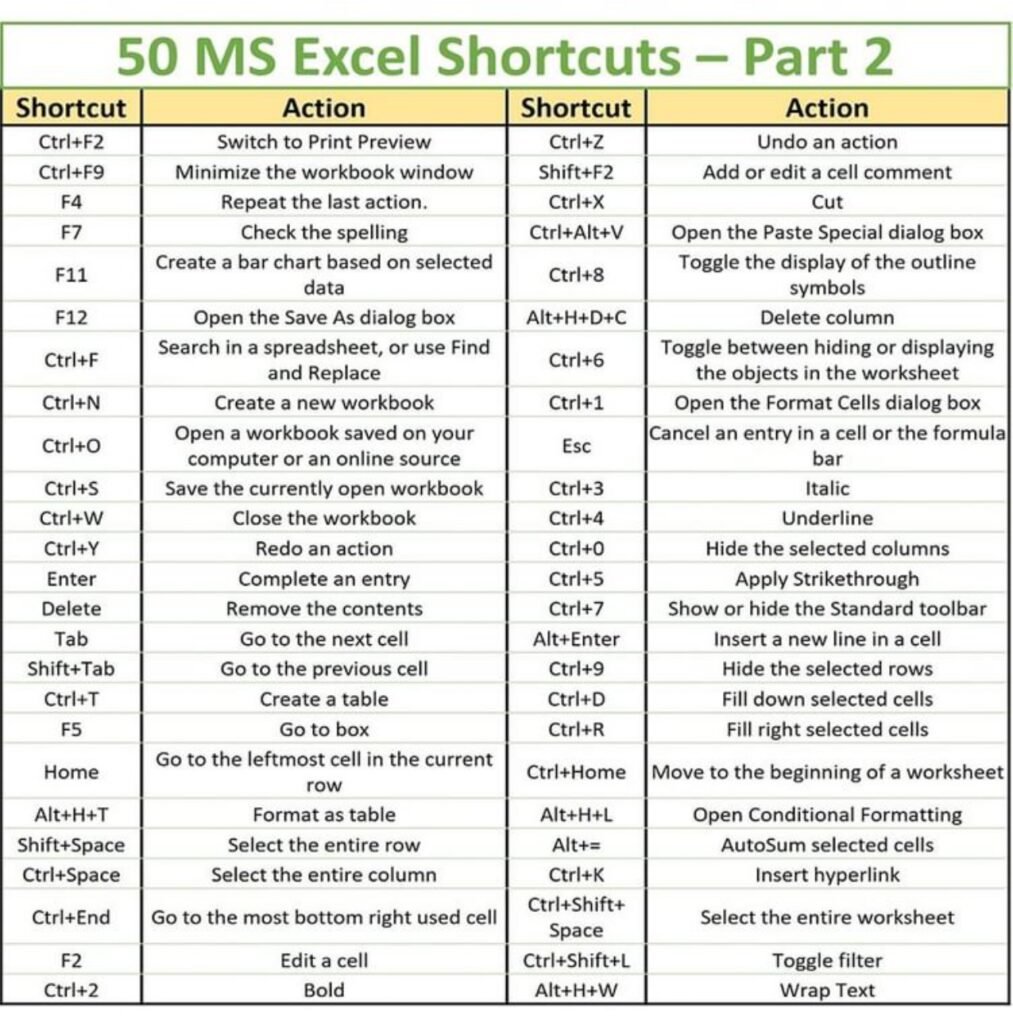
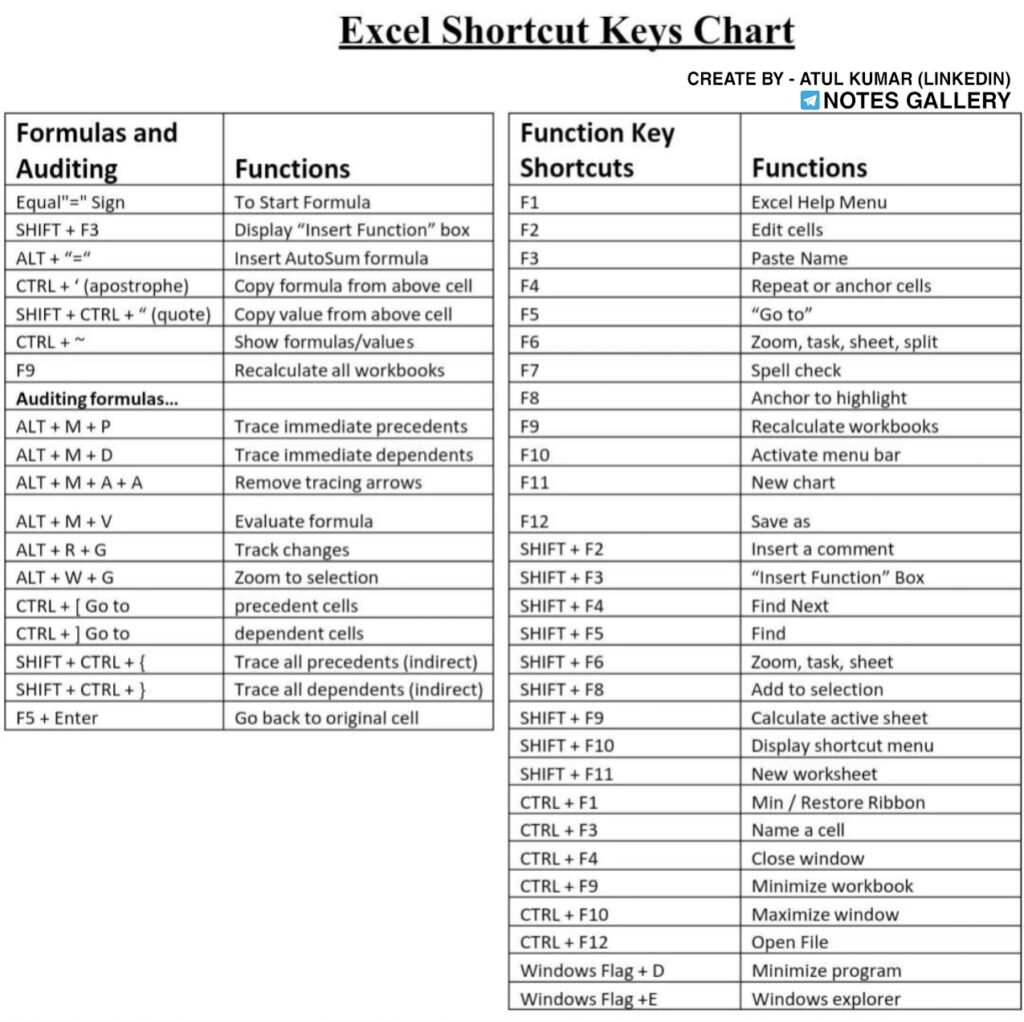
In conclusion, the ’50 Excel Shortcut Key PDF’ is designed with a focus on practicality and usability. Its organized structure and comprehensive coverage of critical shortcuts position it as an essential tool for anyone looking to master Excel and maximize their productivity.
The Content
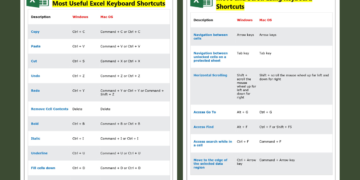
Understanding the power of Excel shortcut keys can revolutionize the way you handle data, significantly boosting productivity. One of the most fundamental yet frequently used shortcuts is Ctrl + C. This shortcut key facilitates the copy function, allowing users to quickly duplicate data without the need for right-clicking and selecting options from context menus. Similarly, Ctrl + V enables the pasting of copied data, streamlining the process of data management where cut-and-paste operations are frequent.
Beyond these basic commands, there are several advanced shortcuts that can make more complex tasks effortless. For instance, Alt + F1 instantly inserts a chart based on the currently selected data. This is particularly valuable for users who regularly need to visualize their data, saving the time typically involved in manually navigating the Ribbon to access charting options.
Another notable shortcut is Ctrl + Z, which undoes the last action and can be a significant time-saver when correcting errors. Correspondingly, Ctrl + Y can redo an undone action, providing flexibility and control over data adjustments.
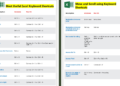
Equally important are navigation shortcuts such as Ctrl + Arrow Keys, which swiftly move the cursor to the edge of data regions, expediting the browsing of large datasets. The Shift + Space and Ctrl + Space shortcuts are also invaluable, allowing users to select entire rows and columns effortlessly.
The comprehensive list provided in the 50 Excel Shortcut Key PDF equips users with a toolkit to enhance their data handling capabilities. These shortcuts are not just random keys; they represent a strategic advantage in everyday Excel tasks, reducing the reliance on mouse clicks and multiple steps, thereby promoting a more efficient workflow.
Why the Document
Mastering Microsoft Excel can be a game-changer for professionals across various fields. Many users often struggle with time-consuming tasks and frequent errors, particularly when they rely solely on mouse operations. This is where the ’50 Excel Shortcut Keys’ PDF can be invaluable. By acquainting themselves with essential Excel shortcut keys, users can drastically reduce the time required to navigate through their spreadsheets, allowing for a more streamlined and efficient workflow.
Keyboard shortcuts in Excel can help minimize errors significantly. For instance, the risk of misplacing data or making unwanted changes is reduced when quick keystrokes are used instead of manual operations. As any seasoned Excel user can attest, adapting to these shortcuts can lead to higher accuracy and better data management. This not only ensures the integrity of the work but also enhances overall productivity.
In sum, the benefits of downloading the ’50 Excel Shortcut Keys’ PDF are manifold. By equipping users with the knowledge and practice of keyboard shortcuts, it transforms the way they interact with Excel, fostering a more productive and error-free experience.
Conclusion
As we wrap up our discussion on the ’50 Excel Shortcut Key PDF,’ it becomes evident how crucial these shortcuts are for anyone aiming to heighten their proficiency in Excel. Mastering these Excel Shortcut Keys can significantly streamline your workflow, making tasks that once seemed tedious and time-consuming more efficient and manageable. Whether you are a financial analyst, a student, or anyone who frequently works with spreadsheets, these shortcuts can be your allies in navigating Excel with ease.
The ’50 Excel Shortcut Keys’ PDF serves as both an introduction and an advanced reference guide, tailored to address various skill levels and user needs. By integrating this resource into your daily routine, you can substantially reduce the time spent on repetitive actions, allowing you to focus more on analysis and decision-making. Not only does this approach enhance productivity, but it also lessens the mental stress often associated with manual data handling and complex Excel operations.
Ultimately, adopting these shortcut keys can lead to a more streamlined, effective, and less stressful work environment. So, take the next step towards becoming an Excel power user and download the ’50 Excel Shortcut Key PDF’ today. Begin your journey towards an optimized, seamless Excel experience.
Download PDF
To streamline your workflow and enhance proficiency in Excel, we have created a comprehensive resource available for download. Our ’50 Excel Shortcut Key’ PDF provides a curated list of essential shortcuts designed to optimize your daily tasks, making your data management more efficient and effective.
Download the 50 Excel Shortcut Keys PDF
Upon clicking the link, the PDF will automatically begin downloading to your device. Once downloaded, you can open the file using any standard PDF reader. For easy access, we recommend saving the document in a location where you can readily refer to it while working on your Excel projects.