Excel is a powerful tool widely used in the finance industry, particularly by accountants. Its versatility in managing and analyzing financial data makes it an indispensable resource.
In this blog post, we introduce a comprehensive PDF document titled ‘Finance Excel Guidelines’ that you can download from the link provided. This guide is designed to help accountants maximize the potential of Excel in their daily tasks.
Why Use Excel for Financial Analysis?
Excel offers a range of functions and features that can simplify complex financial calculations and data management. From basic budgeting to advanced financial modeling, Excel’s capabilities are vast. It allows accountants to efficiently organize financial data, perform intricate analyses, and generate detailed reports.

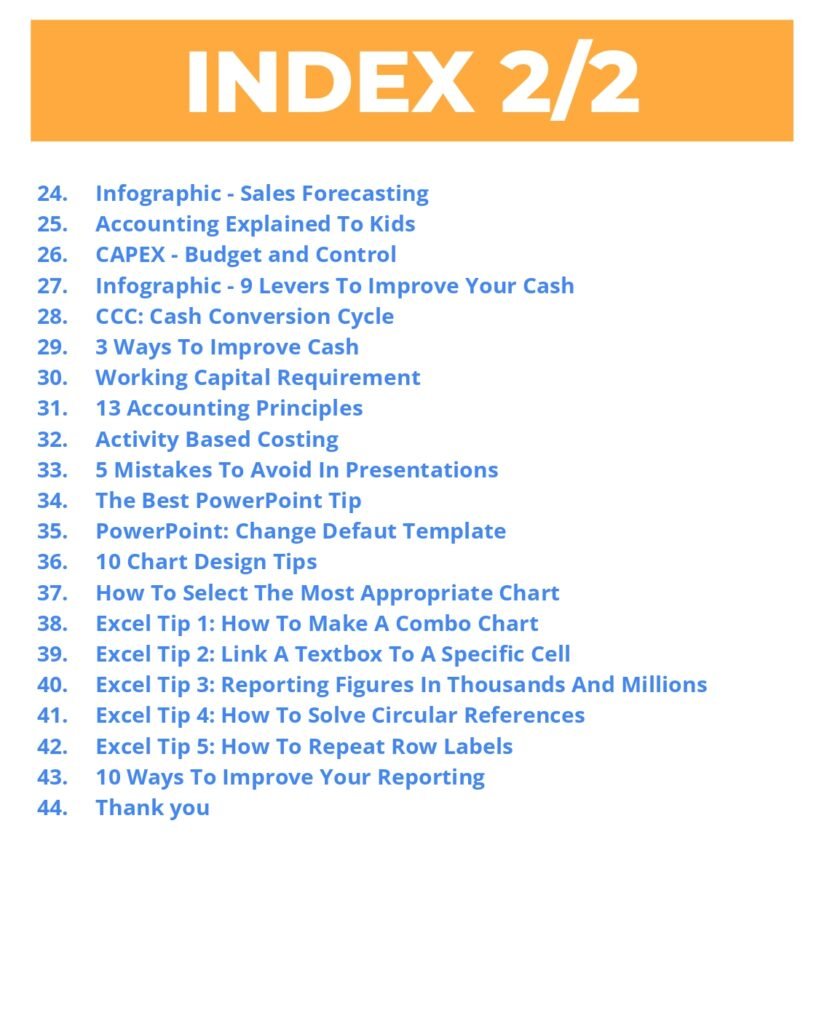



The Content
- 10 Skills For Your Finance Career
- The CFO Checklist
- 6 Ways to Deal with Inflation
- Best Infographics
- The 12 FP&A Principles
- FP&A Quiz 1
- FP&A Quiz 2
- FP&A Quiz 3
- How To Be a Finance Business Partner
- Three Principles For Finance Professionals
- 5 Skills To Master FP&A
- Problem-Solving
- Turn Data Into Insights
- The 9 different FP&A Methods For Analysis
- PVM Analysis: Application In Real Life
- How To Calculate The Exchange Rate Effect
- Vertical Analysis
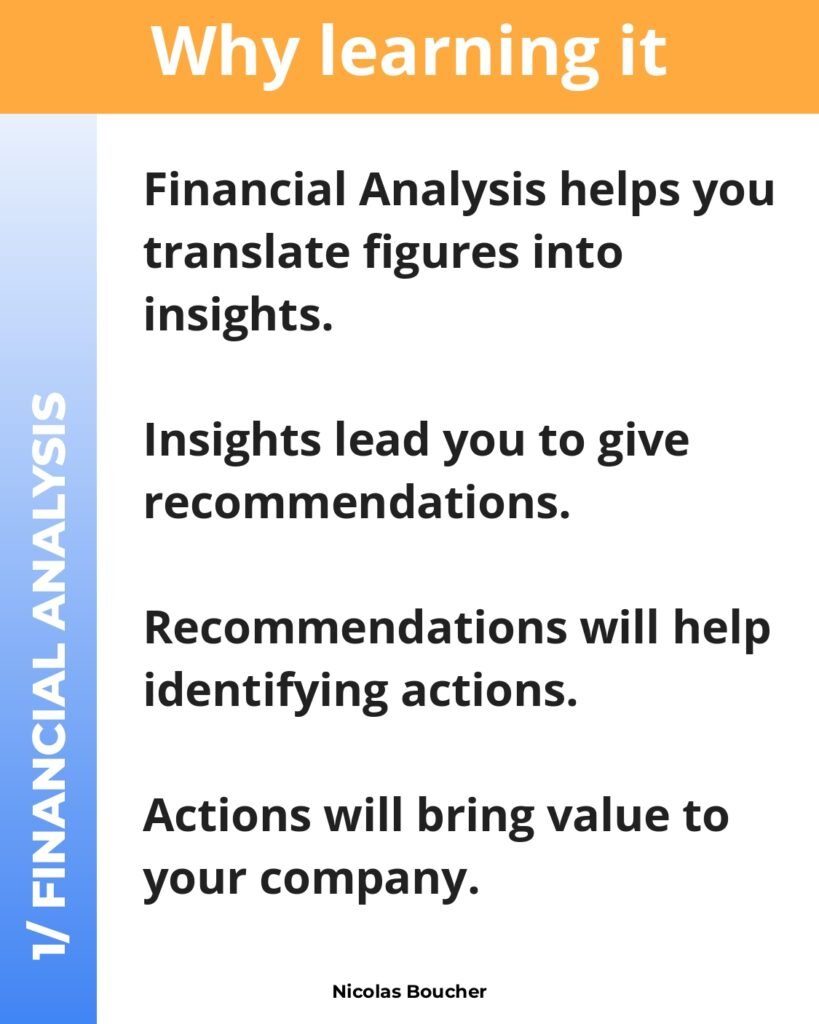
- Infographic Financial Analysis
- Budgeting Process
- Zero Based Budget
- Forecast Method: Risks & Opportunities
- Sales Forecasting – Opportunity Stage
- Rolling Forecast
- Infographic – Sales Forecasting
- Accounting Explained To Kids
- CAPEX – Budget and Control
- Infographic – 9 Levers To Improve Your Cash
- CCC: Cash Conversion Cycle
- 3 Ways To Improve Cash
- Working Capital Requirement
- 13 Accounting Principles
- Activity Based Costing
- 5 Mistakes To Avoid In Presentations
- The Best PowerPoint Tip
- PowerPoint: Change Default Template
- 10 Chart Design Tips
- How To Select The Most Appropriate Chart
- Excel Tip 1: How To Make A Combo Chart
- Excel Tip 2: Link A Textbox To A Specific Cell
- Excel Tip 3: Reporting Figures In Thousands And Millions
- Excel Tip 4: How To Solve Circular References
- Excel Tip 5: How To Repeat Row Labels
- 10 Ways To Improve Your Reporting
Key Features of the Finance Excel Guidelines
Our ‘Finance Excel Guidelines’ PDF covers a variety of topics tailored for accountants. Here are some key features:
- Data Organization: Learn how to structure your financial data effectively.
- Formulas and Functions: Discover essential Excel formulas and functions for financial analysis.
- Financial Modeling: Step-by-step instructions on building financial models in Excel.
- Visualization: Techniques to create charts and graphs for better data presentation.
A Month-End Close Workbook in Excel: Practical Guidelines
Month-end is where Excel discipline pays off. These guidelines help accountants close faster and with fewer errors, whatever accounting system the numbers come from.
Organise the close workbook
| Tab | Purpose |
|---|---|
| Checklist | Every close task with owner, due day (D+1, D+2…) and status |
| TB | Trial balance exported from the ledger, pasted as values |
| Recs | Balance-sheet reconciliations, one block per account |
| Accruals | Accruals and prepayments with supporting calculations |
| Variance | Actual vs budget and vs prior month, with comments |
| Checks | All control checks summarised in one place |
Use a period cell (for example Period = 31-Oct-2026) on the first tab and reference it everywhere, so the workbook rolls forward by changing one date.
Make the close checklist work for you
- Status drop-downs (Not started / In progress / Done) with Data Validation.
- Conditional formatting that turns overdue tasks red: a rule such as
=AND($E2<>"Done",$D2<TODAY()). - A progress figure:
=COUNTIF(E:E,"Done")/COUNTA(D:D)(subtract one from COUNTA if column D has a header).
Reconcile every balance-sheet account
For each account, show the ledger balance, the supporting balance (bank statement, sub-ledger, schedule) and the difference:
=ROUND(LedgerBalance-SupportBalance,2)
Any non-zero difference must be explained by listed reconciling items. A reconciliation is complete only when unexplained difference = 0.
Variance analysis that tells a story
- Variance:
=Actual-Budget; variance %:=IFERROR((Actual-Budget)/ABS(Budget),0). ABS keeps the sign meaningful when the budget is negative. - Flag material variances only, e.g.
=IF(AND(ABS(C2)>=5000,ABS(D2)>=10%),"Explain",""), so reviewers focus on what matters. - Write explanations in business language: “Higher freight costs due to two urgent air shipments”, not “variance due to timing”.
Accruals and prepayments
- Monthly expense from an annual prepaid contract:
=AnnualAmount/12, with the remaining balance=AnnualAmount-AnnualAmount/12*MonthsElapsed. - Months elapsed:
=DATEDIF(StartDate,EOMONTH(Period,0)+1,"M"). - Reverse last month’s accruals automatically by keeping a “reverses in” column and filtering on the current period.
Controls before you sign off
- Trial balance totals to zero and agrees to the ledger report.
- Every reconciliation has preparer and reviewer initials and dates.
- No #REF!, #N/A or #DIV/0! anywhere:
=SUMPRODUCT(--ISERROR(A1:Z500))counts error cells on a sheet. - The file is saved as a new version for the period, and last month’s file stays untouched.
Frequently Asked Questions
How can Excel speed up the month-end close?
By standardising: a template that rolls forward with one period date, pasted-in trial balance exports, formulas that pull balances automatically into reconciliations, and a checks tab that flags problems immediately. Power Query can automate the import of ledger exports.
Should reconciliations be done in Excel or the ERP?
Many ERPs offer reconciliation modules, but Excel remains common for supporting schedules and smaller teams. What matters is consistency, documented support and review evidence.
Related guides
- Excel Cheat Sheet for Accountants PDF
- Microsoft Excel for Professionals PDF
- Financial Analysis Using Excel PDF
Download the PDF Guide
To enhance your skills and streamline your financial tasks, download the ‘Finance Excel Guidelines’ PDF now. Click on the link below to access your guide:
Download Finance Excel Guidelines
Conclusion
Excel is an essential tool for accountants, and our ‘Finance Excel Guidelines’ PDF provides valuable insights and techniques to help you leverage this tool to its fullest potential. Don’t miss out on this opportunity to improve your financial analysis and data management skills. Download the guide today and take the first step towards becoming an Excel expert in the finance industry.