Introduction
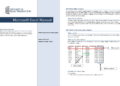
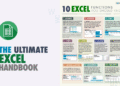
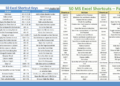
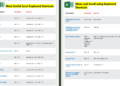
Microsoft Excel is a powerful tool widely used for data analysis, financial modeling, and many other applications. One of the key features that makes Excel so effective is its extensive range of formulas. To help you navigate through these formulas efficiently, we are thrilled to introduce our ‘Microsoft Excel Formulas Cheat Sheet PDF’ for download. This cheat sheet is designed to be a quick reference guide for both beginners and advanced users.
Overview of the Document
Our cheat sheet PDF covers a wide array of Excel formulas, organized into different categories for ease of use. From basic arithmetic operations to complex data analysis functions, this document serves as a comprehensive resource. Whether you are looking to perform simple calculations or more advanced tasks, you will find the relevant formulas conveniently listed.


The Content
The cheat sheet includes formulas for various categories such as:
- Basic Arithmetic: SUM, AVERAGE, SUBTRACT
- Data Analysis: VLOOKUP, HLOOKUP, INDEX, MATCH
- Logical Functions: IF, AND, OR
- Text Functions: CONCATENATE, LEFT, RIGHT
- Date and Time: TODAY, NOW, DATE
These categories are meticulously curated to provide quick access to the most commonly used Excel formulas. Additionally, each formula comes with a brief description and an example to help you understand its application.
Why the Document?
In today’s fast-paced work environment, efficiency is key. Having a quick reference guide for Excel formulas can save you a significant amount of time. This cheat sheet is particularly useful for students, professionals, and anyone who frequently works with Excel. It eliminates the need to search for formulas online or through Excel’s built-in help, thus streamlining your workflow.
How Excel Formulas Work: The Rules Behind the Cheat Sheet
Knowing individual formulas is useful; knowing how Excel reads and calculates them is what lets you write your own. Here are the mechanics every cheat sheet assumes you already know.
Operators
| Operator | Meaning | Example |
|---|---|---|
| + − * / | Add, subtract, multiply, divide | =B2*C2 |
| ^ | Power | =2^3 returns 8 |
| & | Join text | =A2&" "&B2 |
| = <> > < >= <= | Comparisons (return TRUE or FALSE) | =B2>=100 |
| : | Range | B2:B10 |
| , | Separates arguments (some regional settings use 😉 | =SUM(B2,B5) |
Order of calculation
Excel calculates in this order: parentheses first, then ^ (powers), then * and /, then + and −, then &, then comparisons. So =2+3*4 returns 14, while =(2+3)*4 returns 20. When in doubt, add parentheses: they never hurt and they make the formula easier to read.
One trap: Excel applies negation before powers, so =-2^2 returns 4, not −4. Write =-(2^2) if you mean −4.
Referencing other sheets and workbooks
- Another sheet:
=Sheet2!B5, or='Sales 2026'!B5when the sheet name contains spaces. - Several sheets at once (3-D reference):
=SUM(Jan:Dec!B5)adds B5 on every sheet from Jan to Dec. - Another workbook:
=[Budget.xlsx]Summary!B5. Keep linked files in the same folder, and check Data › Edit Links when files move.
Named ranges make formulas readable
Select a cell or range, type a name in the Name Box (left of the formula bar), e.g. TaxRate, and press Enter. Now =B2*TaxRate is clearer than =B2*$H$1, and the name is absolute automatically. Manage names with Ctrl + F3.
Structured references in Tables
Inside an Excel Table, formulas use column names instead of addresses: =[@Quantity]*[@Price] for the current row, or =SUM(Sales[Amount]) for a whole column. They expand automatically as the Table grows, so you never have to update ranges.
Simplify long formulas with LET
In Microsoft 365, LET assigns names to intermediate results inside a formula:
=LET(total,SUM(B2:B100), avg,AVERAGE(B2:B100), IF(total>10000,avg*1.1,avg))
Each value is calculated once, which makes the formula both faster and easier to read.
Find and fix formula problems
- Formulas › Evaluate Formula steps through a calculation one part at a time.
- Trace Precedents / Trace Dependents draw arrows to the cells involved.
- Ctrl + ` shows all formulas on the sheet.
- Error Checking (Formulas tab) lists every error cell on the sheet.
- If a formula shows as text, the cell was formatted as Text: change it to General, then press F2 and Enter.
Frequently Asked Questions
Why does my Excel formula use semicolons instead of commas?
Your Windows regional settings use a comma as the decimal separator, so Excel uses semicolons to separate function arguments. Both work the same way; just follow your version’s separator.
What does the @ symbol mean in a formula?
In a Table, [@Column] means “this row”. In other formulas, Microsoft 365 may show @ to indicate implicit intersection, i.e. return a single value instead of an array.
Related guides
Conclusion
Excel formulas are an essential part of maximizing the utility of Microsoft Excel. Our ‘Microsoft Excel Formulas Cheat Sheet PDF’ is designed to help you master these formulas quickly and efficiently. By having this cheat sheet at your disposal, you can enhance your productivity and ensure that you are using Excel to its full potential.
Download PDF
Ready to get started? Click the link below to download your free copy of the ‘Microsoft Excel Formulas Cheat Sheet PDF’. Empower yourself with the knowledge to tackle any Excel-related task with confidence.