Introduction
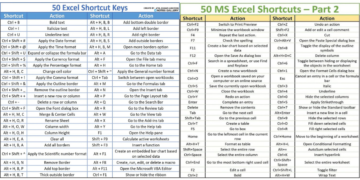
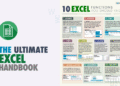
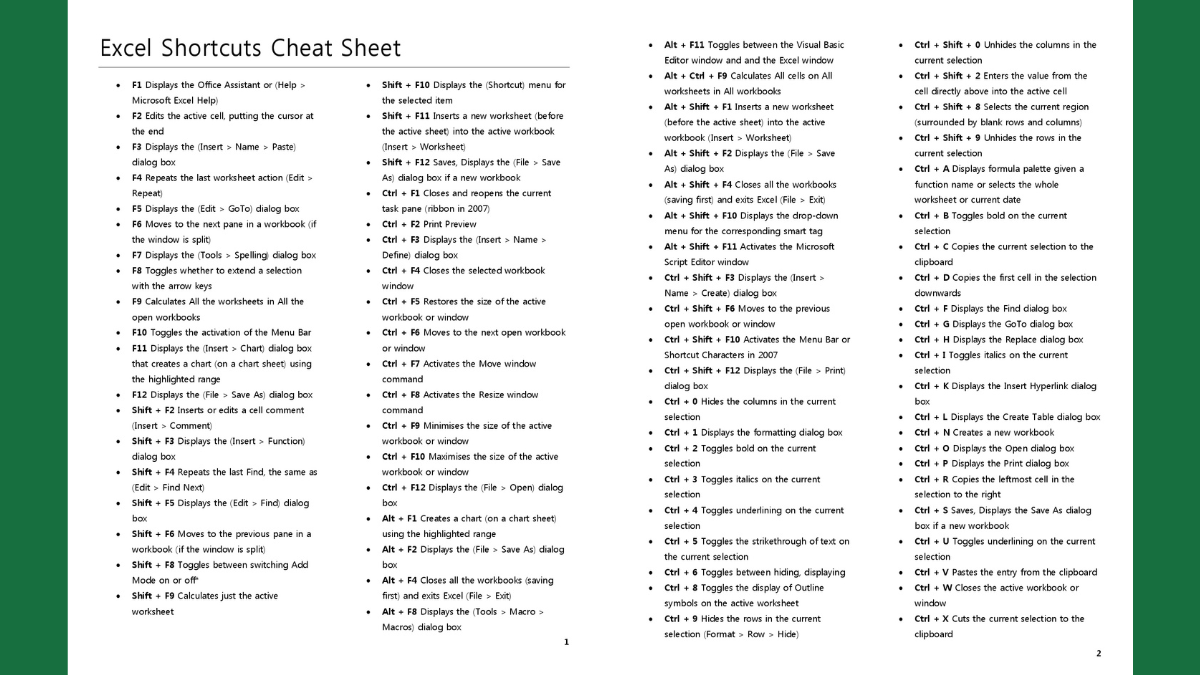
Excel is an essential tool for data management, analysis, and reporting. Whether you are a beginner or an experienced user, knowing Excel shortcuts can significantly enhance your productivity. To help you master these shortcuts, we have created a comprehensive Excel Shortcuts Cheat Sheet PDF that you can download and use as a handy reference.
Overview of the Document
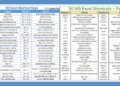
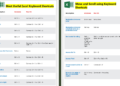
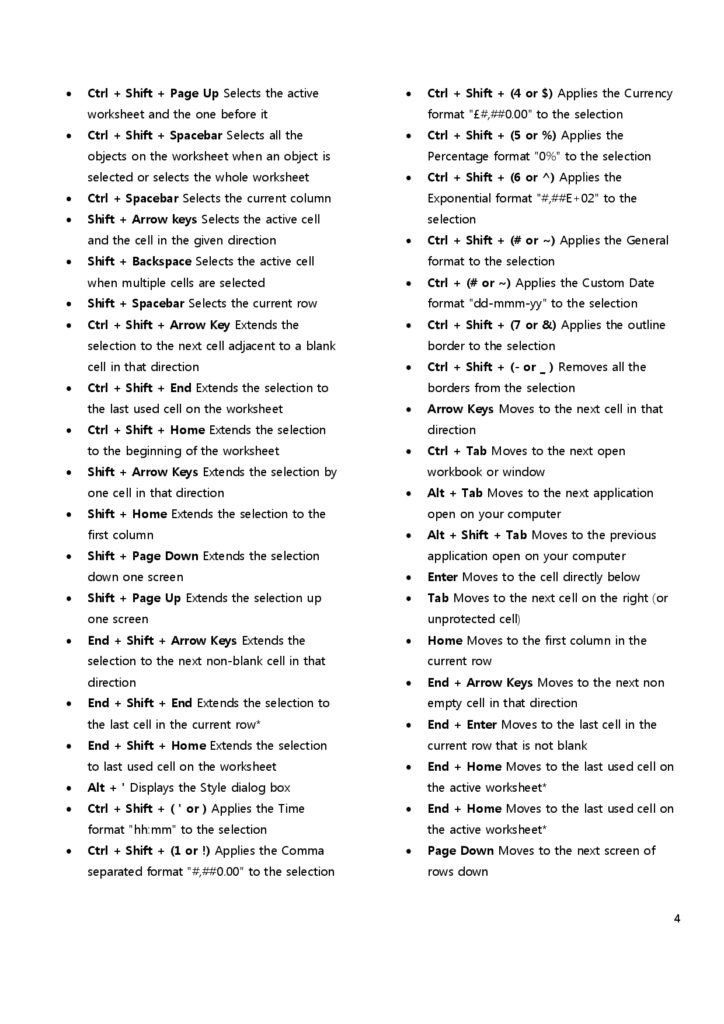
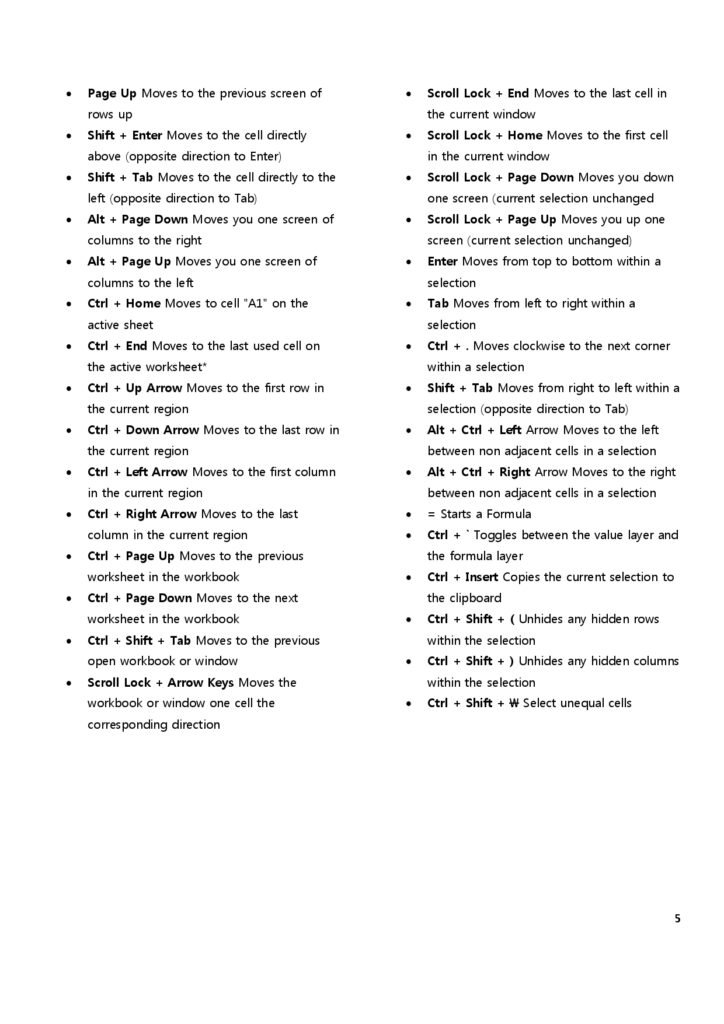
The Excel Shortcuts Cheat Sheet PDF is designed to provide a quick and easy way to access the most commonly used Excel shortcuts. It covers a wide range of functions, from basic navigation to advanced data manipulation. This document is suitable for all skill levels and aims to make your Excel experience more efficient and enjoyable.
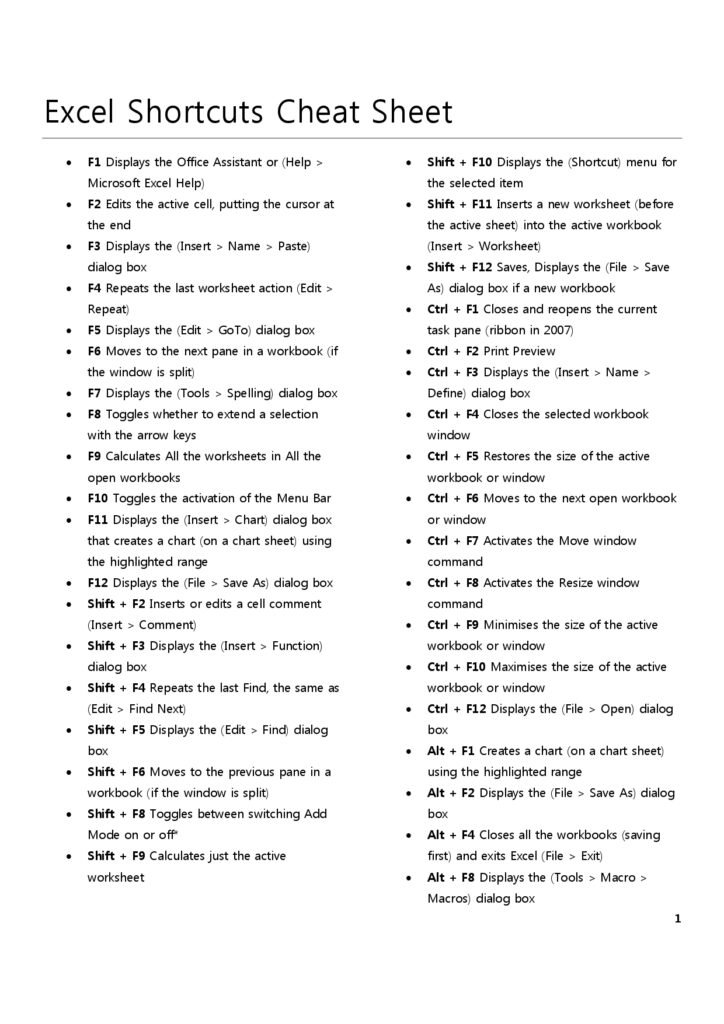
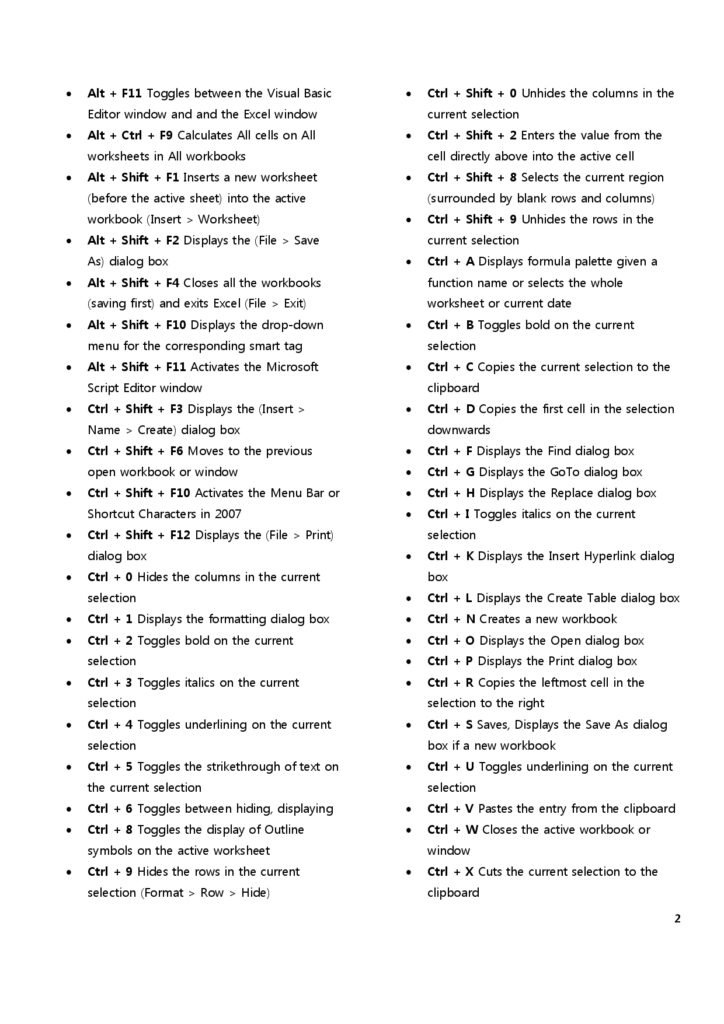
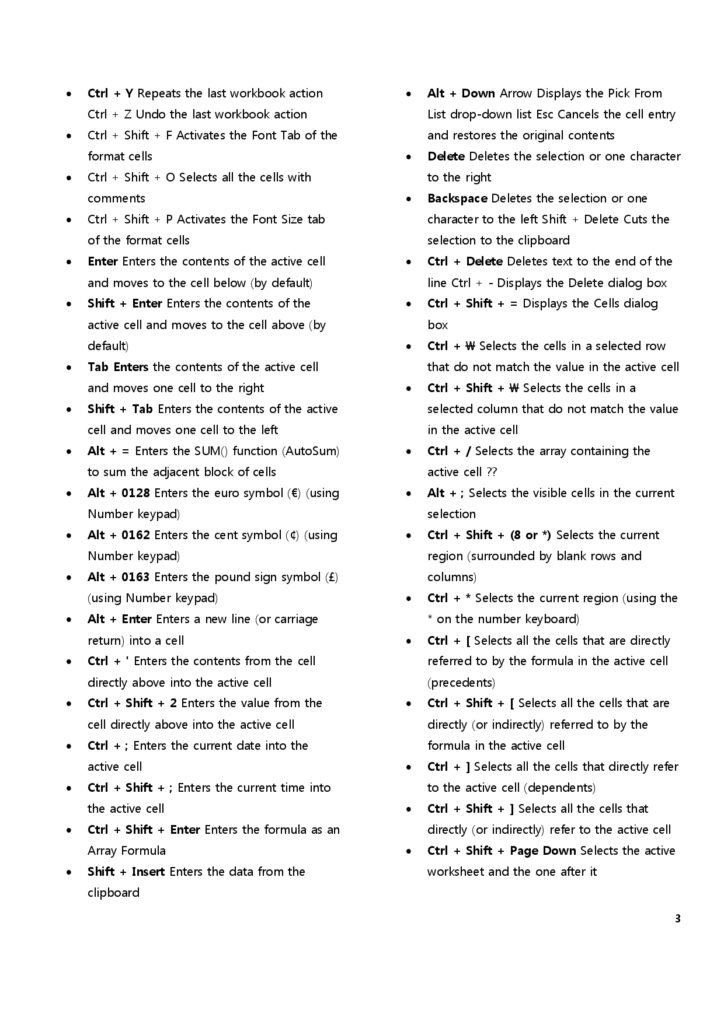
The Content
The cheat sheet includes shortcuts for various categories, such as:
Navigation: Quickly move around your spreadsheet.
Editing: Efficiently edit your data and formulas.
Formatting: Apply consistent formatting to your cells and data ranges.
Data Management: Streamline data entry and management tasks.
Each shortcut is clearly explained, making it easy to understand and apply. The document is formatted for quick reference, ensuring that you can find the information you need without any hassle.
Why the Document
Using keyboard shortcuts in Excel can save you a significant amount of time and reduce the strain on your hands from repetitive mouse movements. By downloading our Excel Shortcuts Cheat Sheet PDF, you will have a powerful tool at your disposal to help you work more efficiently and effectively. This cheat sheet is a valuable resource for anyone looking to improve their Excel skills and increase their productivity.
Excel Function Keys F1–F12: What Each One Does
The function keys are the most under-used shortcuts in Excel. Each one does something useful on its own, and adding Shift, Ctrl or Alt unlocks even more. This table is a companion to the cheat sheet PDF.
| Key | Alone | With Shift | With Ctrl |
|---|---|---|---|
| F1 | Open Help | Context help | Show or hide the ribbon |
| F2 | Edit the active cell | Add or edit a cell note | Print preview |
| F3 | Paste a named range into a formula | Insert Function dialog | Name Manager |
| F4 | Toggle $ references while editing; repeat last action otherwise | Repeat last Find (find next) | Close the workbook window |
| F5 | Go To | Find and Replace | Restore window size |
| F6 | Move between panes, ribbon and status bar | Move backwards between them | Switch to the next workbook window |
| F7 | Spelling check | Thesaurus | Move window (when not maximised) |
| F8 | Extend-selection mode on/off | Add to selection | Resize window |
| F9 | Calculate all open workbooks | Calculate the active sheet | Minimise the workbook window |
| F10 | Show ribbon key tips (same as Alt) | Open the right-click menu | Maximise or restore the window |
| F11 | Create a chart on a new sheet | Insert a new worksheet | Insert a legacy macro sheet |
| F12 | Save As | Save | Open |
Also useful: Alt + F8 opens the Macros list, Alt + F11 opens the VBA editor, and Ctrl + Alt + F9 forces a full recalculation of every formula.
Three function-key tricks worth learning today
F4 to repeat. Format one cell (say, yellow fill), select another cell and press F4: the same formatting is applied. It works for inserting rows, deleting columns and many other actions.
F9 to check part of a formula. While editing a formula, select a piece of it (for example B2*C2) in the formula bar and press F9 to see its value. Press Esc afterwards so the result is not saved into the formula.
F2 then arrow keys. In edit mode (F2), the arrow keys move inside the cell text instead of moving to another cell, which makes fixing long formulas much faster.
If your function keys don’t work
On many laptops, F1–F12 control brightness, volume or media by default. Either hold Fn while pressing the F-key, or turn on Fn Lock (often Fn + Esc, or a setting in the BIOS/keyboard utility) so the F-keys behave as standard keys.
Frequently Asked Questions
What does F4 do in Excel?
While editing a formula it cycles a cell reference through $A$1, A$1, $A1 and A1. Outside edit mode it repeats your last action.
How do I recalculate formulas in Excel?
Press F9 to recalculate all open workbooks, or Shift + F9 for the active sheet only. If formulas never update, check Formulas › Calculation Options and set it to Automatic.
Related guides
Conclusion
Excel shortcuts are an invaluable asset for anyone who frequently works with spreadsheets. Our Excel Shortcuts Cheat Sheet PDF provides a comprehensive list of shortcuts that can help you become more proficient in using Excel. By leveraging these shortcuts, you can streamline your workflow and achieve better results in less time. Don’t miss out on this opportunity to enhance your Excel skills.
Download PDF
Ready to take your Excel skills to the next level? Click the link below to download your free Excel Shortcuts Cheat Sheet PDF and start boosting your efficiency today!