Introduction
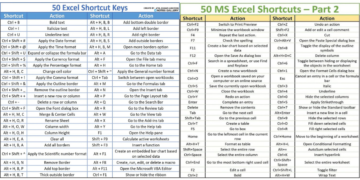
MS Excel is a powerful tool for managing and analyzing data. Mastering Excel shortcuts can significantly boost your productivity and efficiency. In this blog post, we introduce a comprehensive PDF document that lists essential MS Excel shortcuts. This free resource is designed to help both beginners and advanced users navigate Excel more effectively.
Overview of the Document
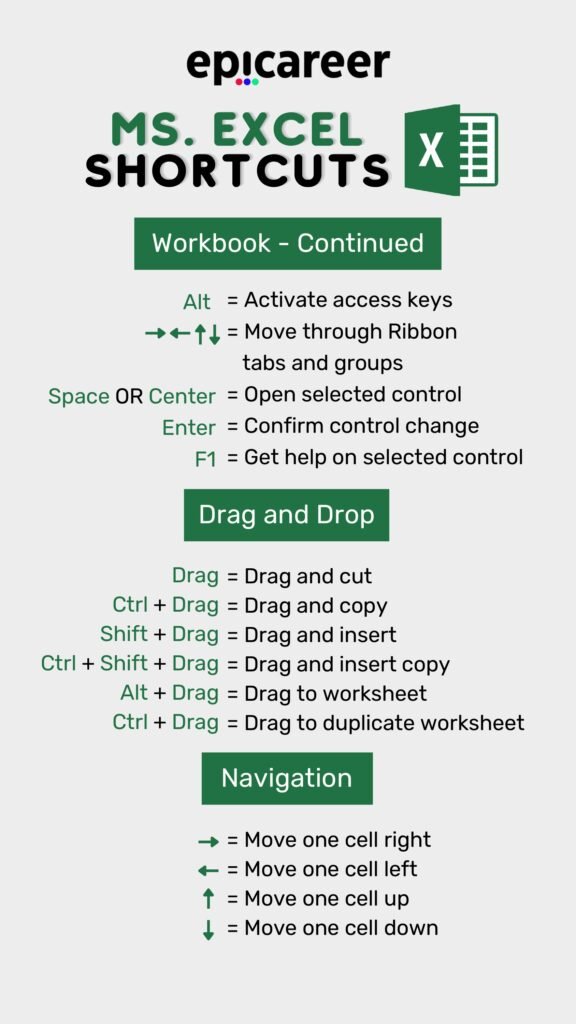
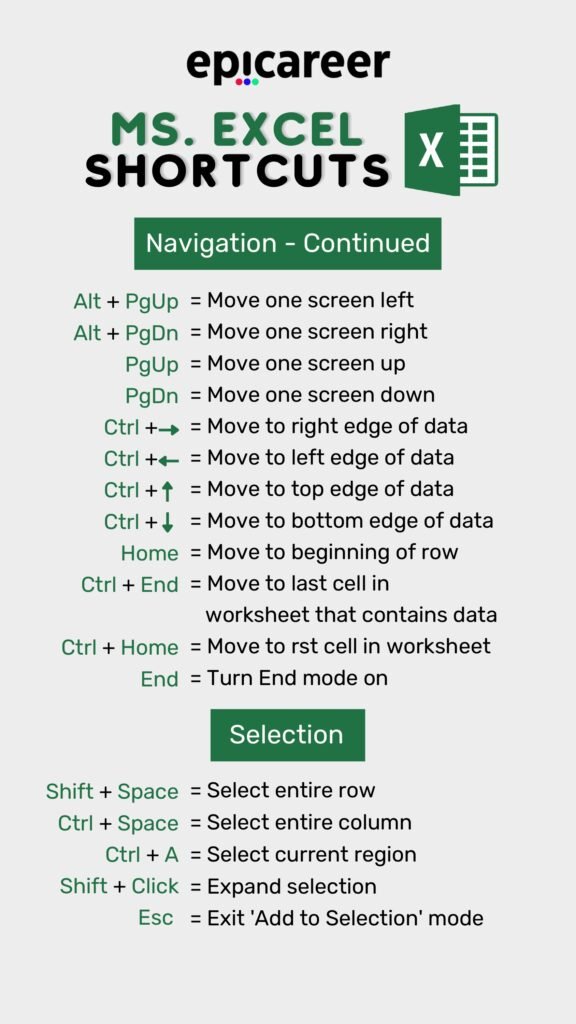
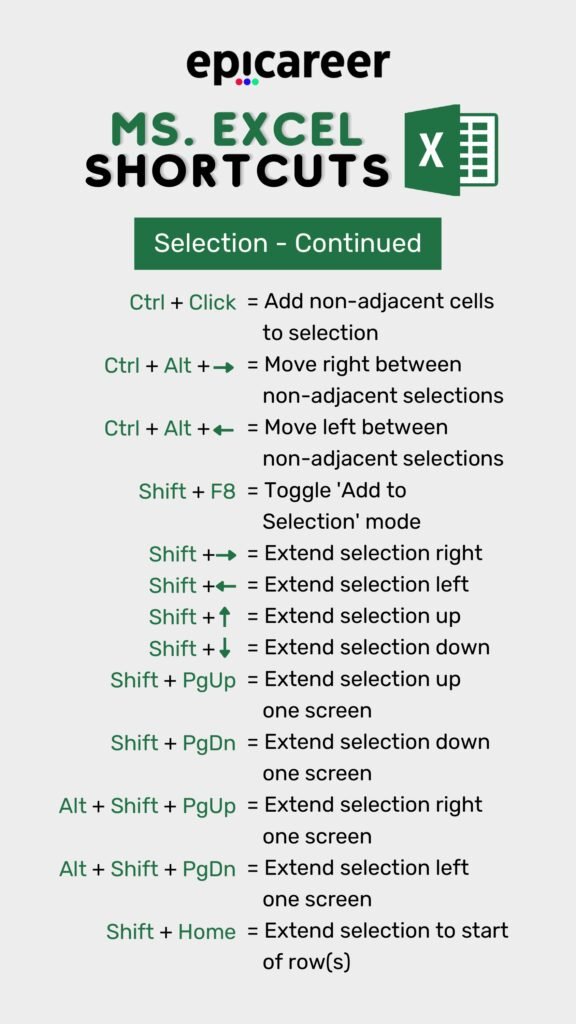
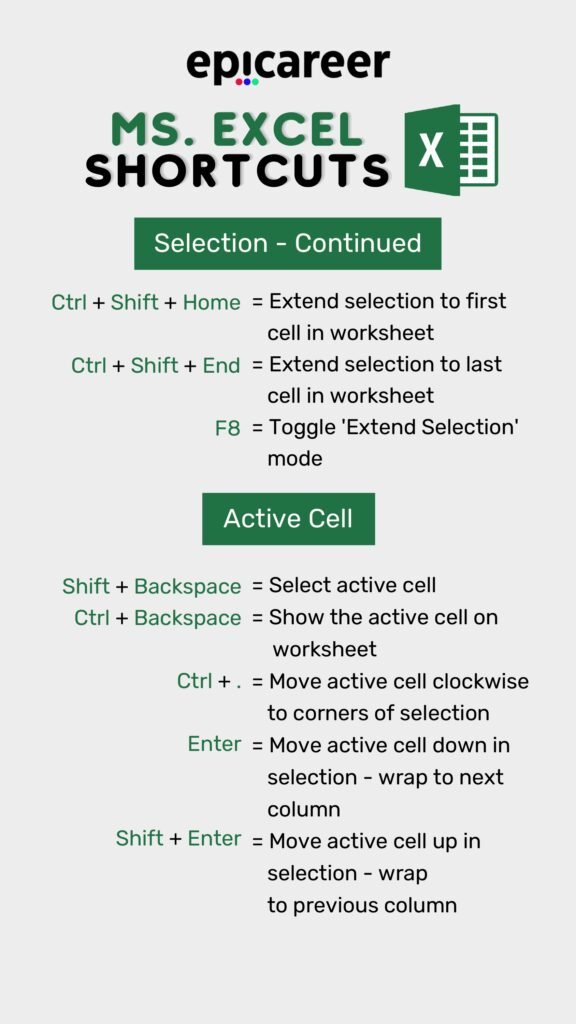
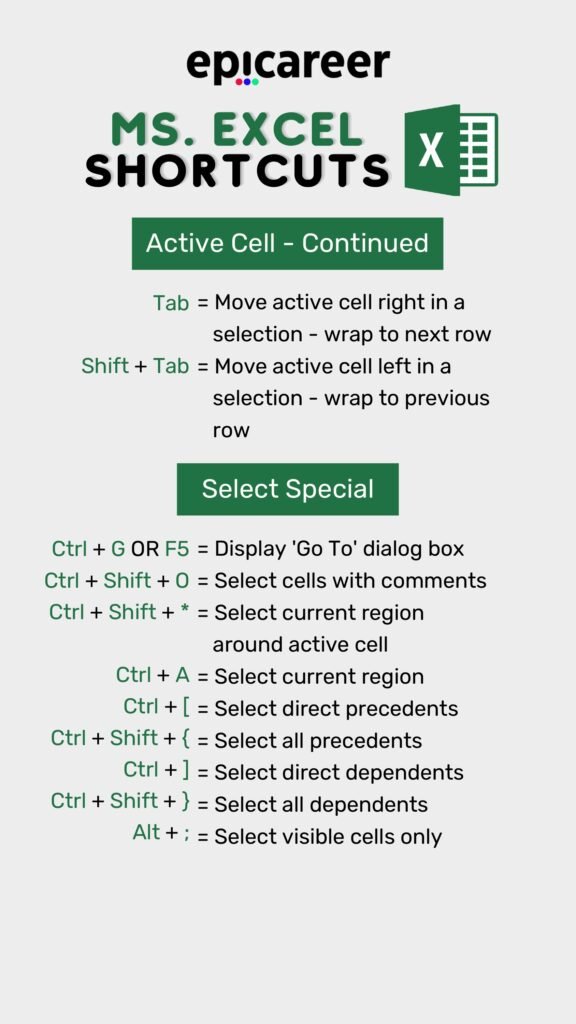
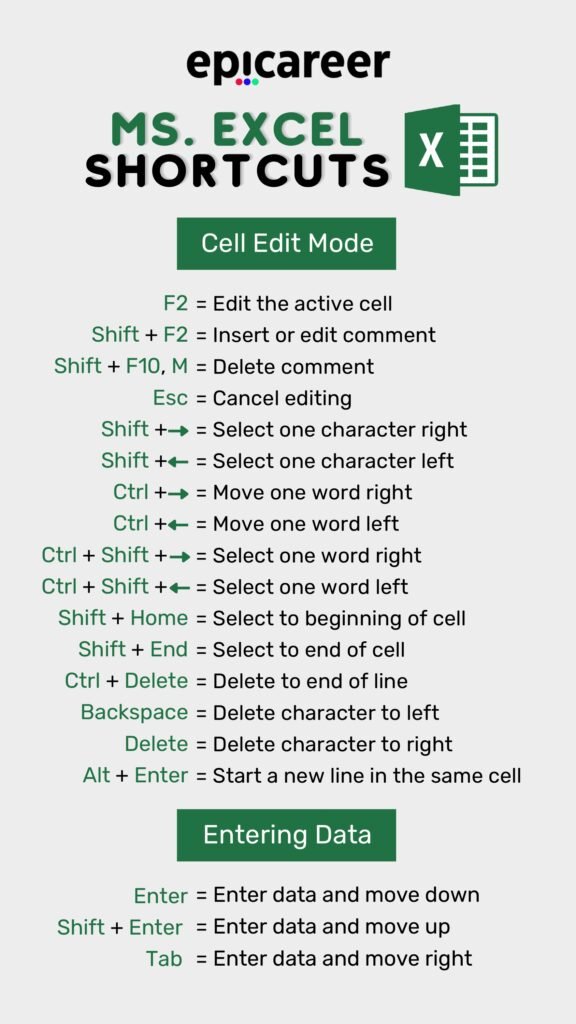
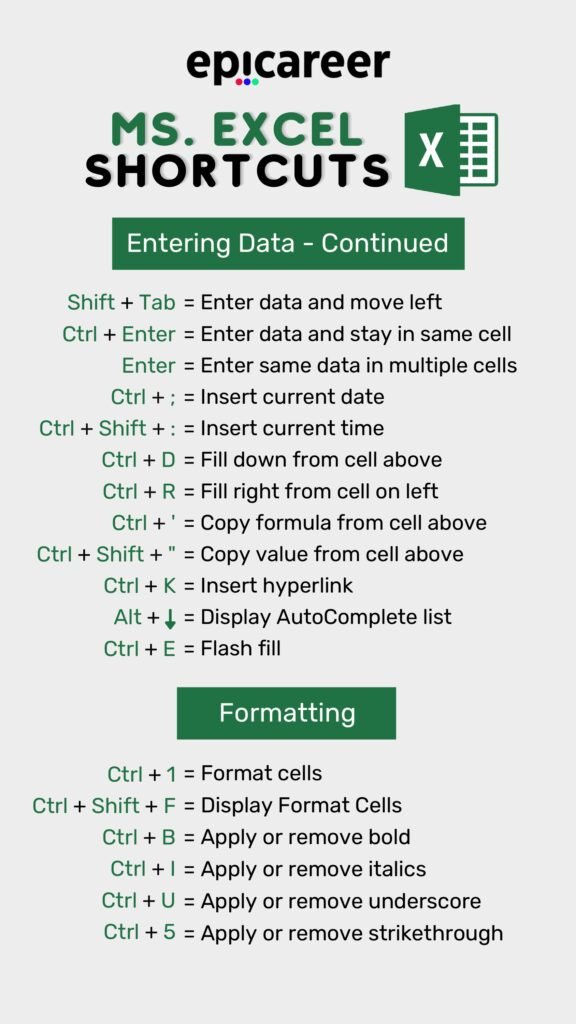
The MS Excel Shortcuts PDF is a meticulously compiled guide that covers a wide range of shortcuts. Whether you’re dealing with data entry, formatting, or complex calculations, this document provides shortcuts that can save you time and effort. It’s an indispensable resource for anyone looking to improve their Excel skills.
The Content
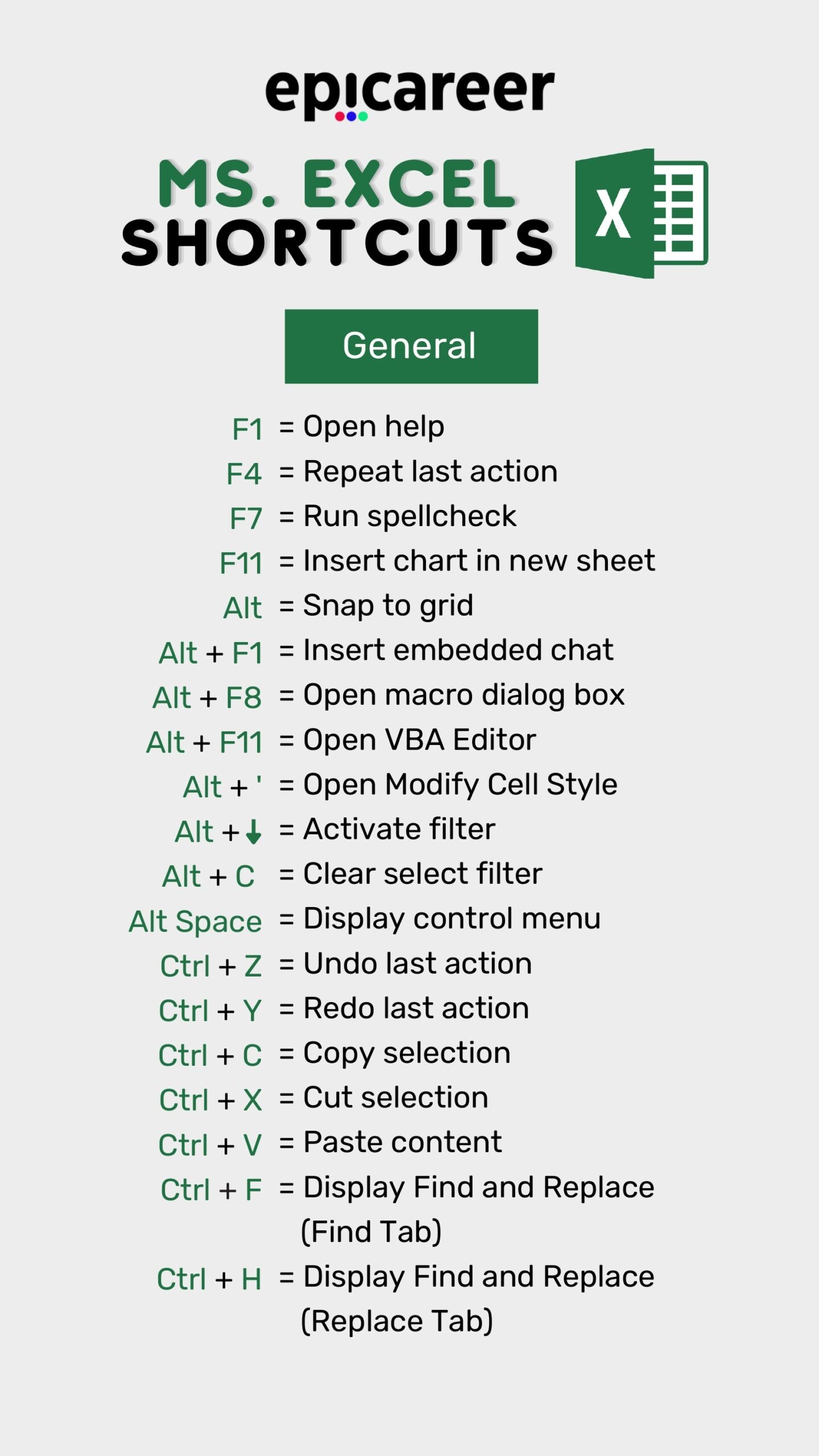
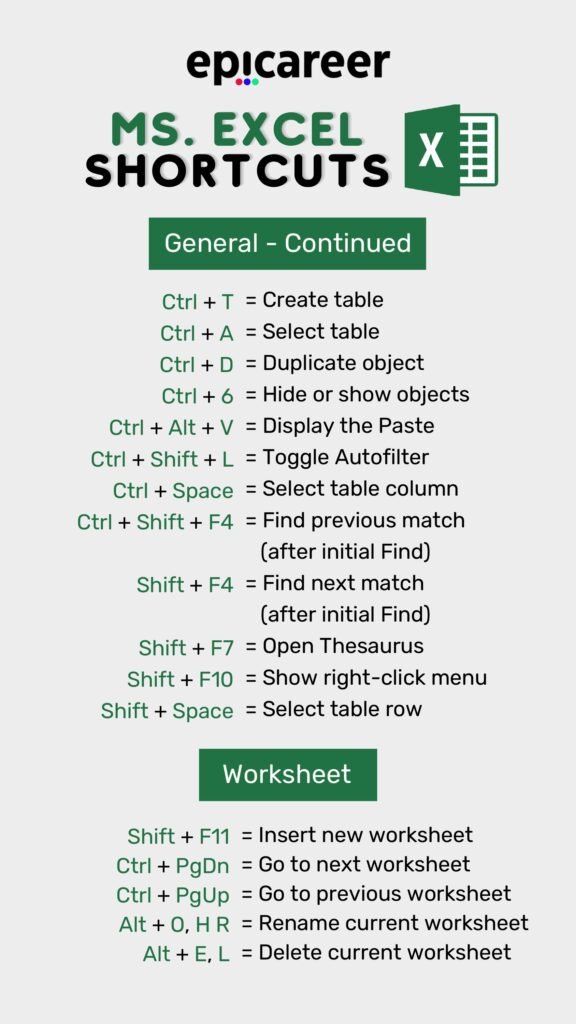
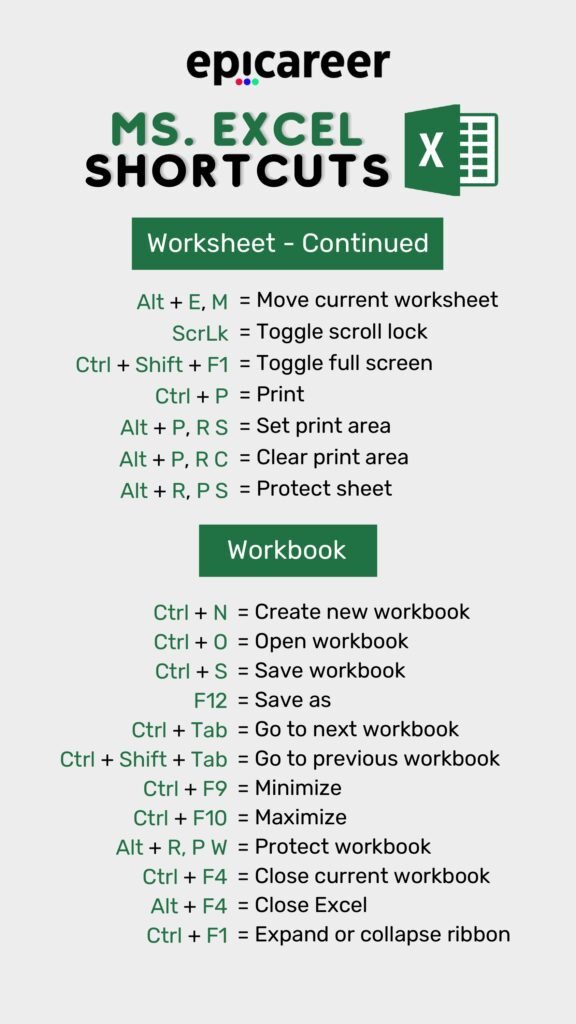
Inside the PDF, you will find shortcuts categorized into different sections for easy reference. These include:
- General
- Basic Navigation
- Data Entry and Editing
- Formatting
- Formulas and Functions
- Data Analysis and Visualization
Each section provides clear and concise information on how to execute the shortcuts, making it easier for users to implement them in their daily tasks.
Why the Document?
Excel users often spend a significant amount of time performing repetitive tasks. The MS Excel Shortcuts PDF aims to reduce this time by offering quick and easy-to-remember shortcuts. By using these shortcuts, you can focus more on data analysis and less on navigation and formatting. This not only improves efficiency but also enhances the overall user experience.
The Most Useful MS Excel Shortcuts (Quick Reference)
The PDF is great to print and keep next to your keyboard. Below is a quick-reference version of the shortcuts we use most, grouped by task so you can learn them a few at a time. All shortcuts are for Excel on Windows; Mac notes follow at the end.
Navigation shortcuts
| Shortcut | What it does |
|---|---|
| Ctrl + Arrow key | Jump to the edge of the current data region |
| Ctrl + Home / Ctrl + End | Go to cell A1 / go to the last used cell |
| Ctrl + Page Down / Page Up | Move to the next / previous worksheet |
| Ctrl + G (or F5) | Open Go To (type a cell address or a named range) |
| Ctrl + F / Ctrl + H | Find / Find and Replace |
| Ctrl + Tab | Switch between open workbooks |
Selection shortcuts
| Shortcut | What it does |
|---|---|
| Shift + Arrow key | Extend the selection one cell at a time |
| Ctrl + Shift + Arrow key | Extend the selection to the edge of the data |
| Ctrl + A | Select the current region (press again for the whole sheet) |
| Shift + Space | Select the entire row |
| Ctrl + Space | Select the entire column |
| Ctrl + Shift + End | Select from the active cell to the last used cell |
Editing and data-entry shortcuts
| Shortcut | What it does |
|---|---|
| F2 | Edit the active cell |
| Ctrl + Enter | Enter the same value or formula in every selected cell |
| Ctrl + D / Ctrl + R | Fill down / fill right from the cell above or to the left |
| Alt + Enter | Start a new line inside the same cell |
| Ctrl + ; / Ctrl + Shift + ; | Insert today’s date / the current time |
| Ctrl + E | Flash Fill (auto-complete a pattern from your examples) |
| Ctrl + Shift + + / Ctrl + – | Insert / delete cells, rows or columns |
| Ctrl + Z / Ctrl + Y | Undo / redo |
Formatting shortcuts
| Shortcut | What it does |
|---|---|
| Ctrl + 1 | Open the Format Cells dialog |
| Ctrl + B / I / U | Bold / italic / underline |
| Ctrl + Shift + $ | Currency format |
| Ctrl + Shift + % | Percentage format |
| Ctrl + Shift + ! | Number format with two decimals and thousands separator |
| Ctrl + Shift + ~ | General number format |
| Alt + H, O, I | AutoFit column width |
Formula shortcuts
| Shortcut | What it does |
|---|---|
| Alt + = | AutoSum the cells above or to the left |
| F4 | Toggle absolute / relative references ($A$1, A$1, $A1, A1) while editing a formula |
| Ctrl + ` | Show or hide formulas instead of results |
| Shift + F3 | Open the Insert Function dialog |
| F9 | Recalculate all open workbooks (or evaluate the selected part of a formula) |
| Ctrl + [ | Jump to the cells a formula refers to (precedents) |
Tables, filters and charts
| Shortcut | What it does |
|---|---|
| Ctrl + T | Convert a range into an Excel Table |
| Ctrl + Shift + L | Turn filters on or off |
| Alt + Down Arrow | Open the filter or drop-down list in the active cell |
| Alt + F1 | Insert a default chart on the current sheet |
| F11 | Insert a default chart on a new chart sheet |
| Ctrl + K | Insert a hyperlink |
Workbook shortcuts
| Shortcut | What it does |
|---|---|
| Ctrl + N / Ctrl + O | New workbook / open a workbook |
| Ctrl + S / F12 | Save / Save As |
| Shift + F11 | Insert a new worksheet |
| Ctrl + W | Close the current workbook |
| Ctrl + P | Print / print preview |
| Ctrl + F1 | Show or hide the ribbon |
Excel shortcuts on Mac
Most Windows shortcuts work on a Mac by replacing Ctrl with Command (⌘), for example ⌘ + C, ⌘ + V and ⌘ + Z. A few differ: toggling absolute references is ⌘ + T (or Fn + F4), and editing the active cell is Control + U on many Mac keyboards. Our Windows and Mac shortcuts guide lists both side by side.
How to actually remember Excel shortcuts
- Learn five at a time. Start with Ctrl + Arrow, Ctrl + Shift + Arrow, Ctrl + 1, F4 and Alt + =. Those alone save minutes every day.
- Use the Alt key tips. Press Alt once and Excel shows a letter on every ribbon command, so any command can become a keyboard sequence.
- Stop reaching for the mouse on purpose for one week. Muscle memory forms quickly when you force it.
- Print the PDF and keep it visible until you no longer need it.
Frequently Asked Questions
What is the most useful Excel shortcut?
For most people it is Ctrl + Arrow key (with Shift to select). Moving to the end of a data range instantly replaces a lot of scrolling and dragging.
Do these shortcuts work in Excel 365, 2021, 2019 and 2016?
Yes. The shortcuts above are standard across modern Windows versions of Excel, including Microsoft 365. A few newer features, such as Flash Fill (Ctrl + E), need Excel 2013 or later.
Why does F4 not work on my laptop?
On many laptops the F-keys control volume or brightness by default. Press Fn + F4, or switch the function-key lock (often Fn + Esc) so F-keys behave as standard keys.
Related guides
- 50 Excel Shortcut Keys PDF
- Excel Shortcuts Cheat Sheet PDF
- Excel Keyboard Shortcuts for Windows Users PDF
- Excel Formulas Cheat Sheet PDF
Conclusion
Mastering MS Excel shortcuts is a valuable skill for anyone working with spreadsheets. Our MS Excel Shortcuts PDF is designed to be a handy reference that you can use daily to improve your productivity. Download the PDF today and start making the most of Excel’s capabilities.
Download PDF
Click the link below to download the MS Excel Shortcuts PDF and take your Excel skills to the next level: