Introduction
Welcome to the ultimate guide to mastering Excel! In this blog post, we will introduce a comprehensive PDF document designed for beginners and intermediate users to get a solid grasp of Excel. Whether you’re new to Excel or looking to refine your skills, this Excel workshop PDF is a perfect resource to guide you through the essentials.
Overview of the Document
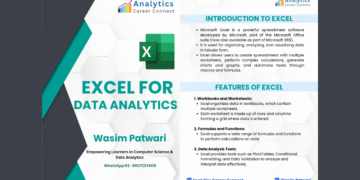
The ‘Master Excel – Introductory Excel Workshop PDF’ is meticulously crafted to provide a thorough understanding of Excel’s basic and advanced functionalities. The document is structured to ensure a seamless learning experience with step-by-step instructions, practical examples, and key tips to optimize your workflow in Excel.


The Content
The Excel workshop PDF includes a range of topics, such as:
- Basic Excel Functions and Formulas
- Data Entry and Formatting
- Using Pivot Tables for Data Analysis
- Creating Charts and Graphs
- Advanced Functions like VLOOKUP and HLOOKUP
- Macros and VBA for Automation
These topics cover the foundational skills necessary to become proficient in Excel and will help you navigate through more complex tasks effortlessly.
Why the Document?
This PDF document is an invaluable resource for several reasons. It provides clear and concise instructions, making it easy for beginners to follow along.
The practical examples within the document help to reinforce learning and ensure that you can apply these skills in real-world scenarios. Moreover, by mastering these techniques, you can significantly boost your productivity and efficiency in handling data.
Practice Exercises: Test Your Excel Basics
Reading is only half of learning Excel. Work through these five short exercises after the workshop PDF. Each one uses a tiny dataset you can type in under a minute, and the solution follows each task.
Exercise 1: Totals and averages
Type five monthly sales figures in B2:B6: 1,200, 950, 1,430, 1,100 and 1,320. Calculate the total, the average, the best month and the worst month.
Solution: =SUM(B2:B6) returns 6,000; =AVERAGE(B2:B6) returns 1,200; =MAX(B2:B6) returns 1,430; =MIN(B2:B6) returns 950.
Exercise 2: Percentages with an absolute reference
Next to each month, show its share of the total.
Solution: in C2 type =B2/$B$7 (where B7 holds the total), format it as a percentage with Ctrl + Shift + %, then fill down with Ctrl + D. The $ signs keep the reference to the total fixed as you copy. March should show about 24%.
Exercise 3: A simple IF test
Mark each month as “Above target” if sales are at least 1,200, otherwise “Below target”.
Solution: =IF(B2>=1200,"Above target","Below target"). Three months are above target (1,200, 1,430 and 1,320).
Exercise 4: Counting with a condition
How many months sold more than 1,000?
Solution: =COUNTIF(B2:B6,">1000") returns 4.
Exercise 5: Look up a value
On a second sheet, list product codes in column A and prices in column B. On the first sheet, type a product code in E2 and return its price.
Solution: =XLOOKUP(E2,Sheet2!A:A,Sheet2!B:B,"Not found"). In older versions of Excel use =VLOOKUP(E2,Sheet2!A:B,2,FALSE).
Basic skills checklist
Tick these off before moving to intermediate topics:
- Enter data, use AutoFill to continue a series (drag the fill handle or press Ctrl + D)
- Write formulas with + − * / and parentheses
- Use SUM, AVERAGE, MIN, MAX, COUNT and COUNTIF
- Understand relative vs absolute references (F4)
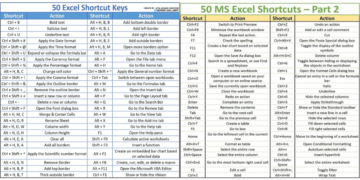
- Format numbers, dates and percentages (Ctrl + 1)
- Sort and filter a list
- Create a basic chart (Alt + F1)
- Freeze the header row (View › Freeze Panes)
- Print a sheet on one page (Page Layout › Scale to Fit)
What to learn next
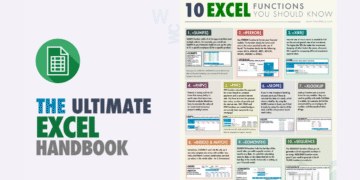
Once these feel easy, move on to SUMIFS, XLOOKUP, PivotTables and conditional formatting. Our Excel Fundamentals PDF and Ultimate Excel Handbook cover the next steps.
Frequently Asked Questions
How long does it take to learn Excel basics?
Most people are comfortable with the basics after 8–10 hours of hands-on practice spread over a couple of weeks. The key is practising on real data rather than only reading.
What should I learn first in Excel?
Data entry and formatting, then simple formulas (SUM, AVERAGE), cell references, sorting and filtering, and basic charts. Those skills cover most everyday office tasks.
Related guides
Conclusion
In conclusion, the ‘Master Excel – Introductory Excel Workshop PDF’ is a must-have tool for anyone looking to start or enhance their Excel skills. The structured approach and comprehensive content make it an essential guide for learners at any level.
By following the instructions and practicing the examples provided, you will be well on your way to becoming an Excel master.
Download PDF
Ready to get started? Download the Master Excel – Introductory Excel Workshop PDF now and begin your journey towards mastering Excel!