Introduction
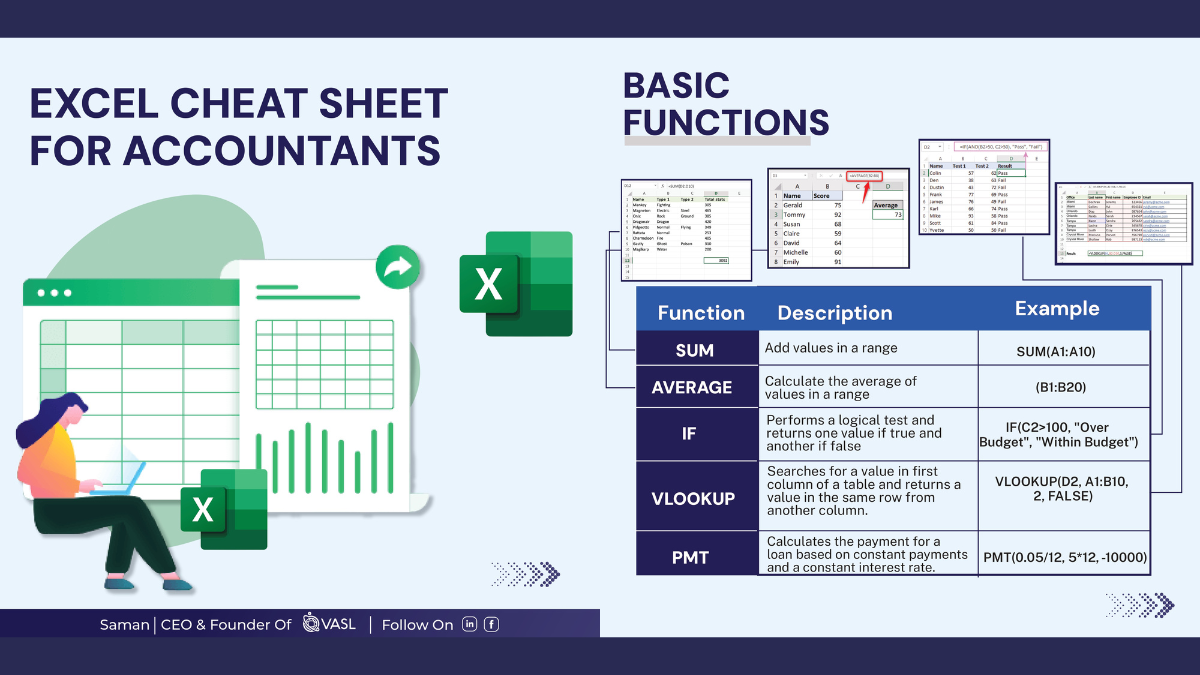
Excel is an indispensable tool for accountants, offering a versatile platform for financial analysis, reporting, and data management. Recognizing the multitude of functions and shortcuts Excel offers, we have created a comprehensive Excel cheat sheet tailored specifically for accountants. This post will introduce and provide a link to download the PDF document to enhance your Excel proficiency.
Overview of the Document
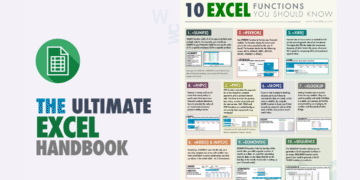
The Excel cheat sheet for accountants PDF is designed to serve as a quick reference guide for professionals frequently working with spreadsheets. The document compiles essential formulas, functions, shortcuts, and tricks to streamline your workflow efficiently.
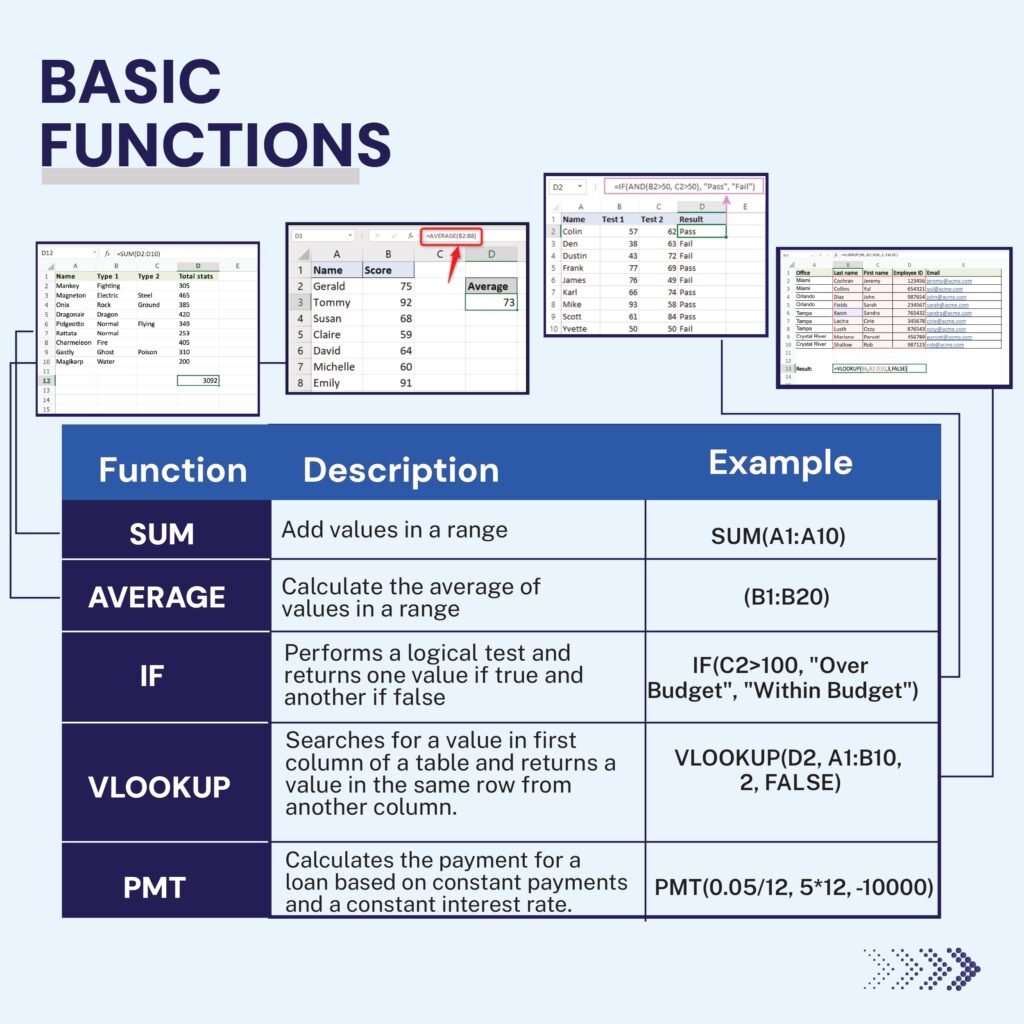
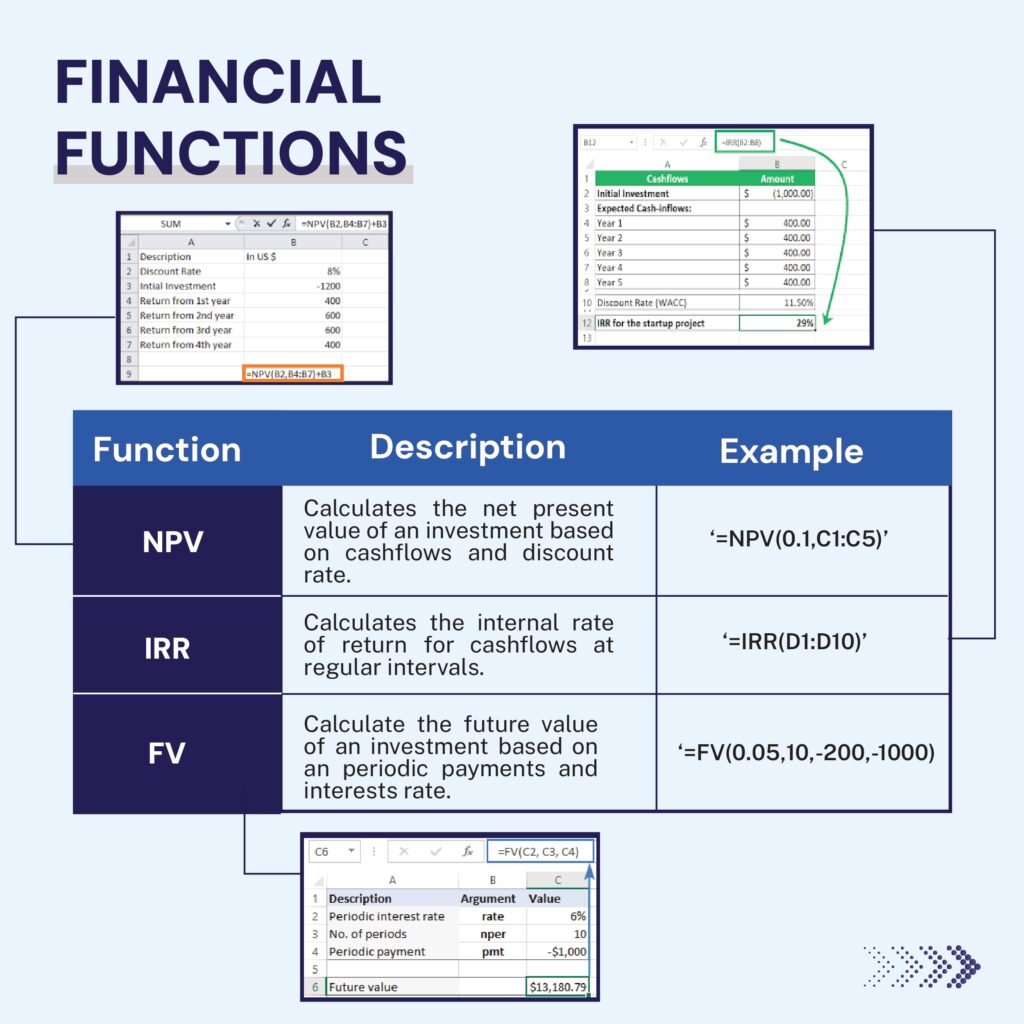
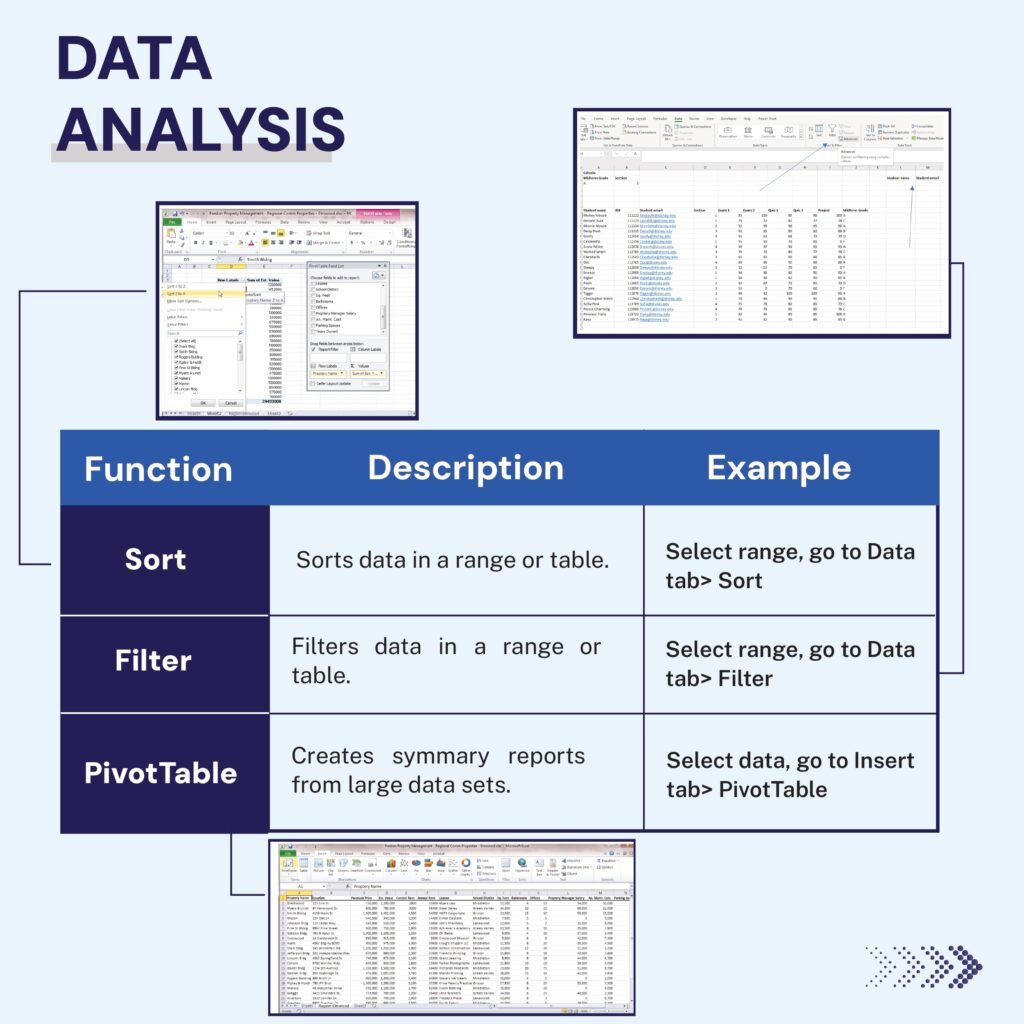
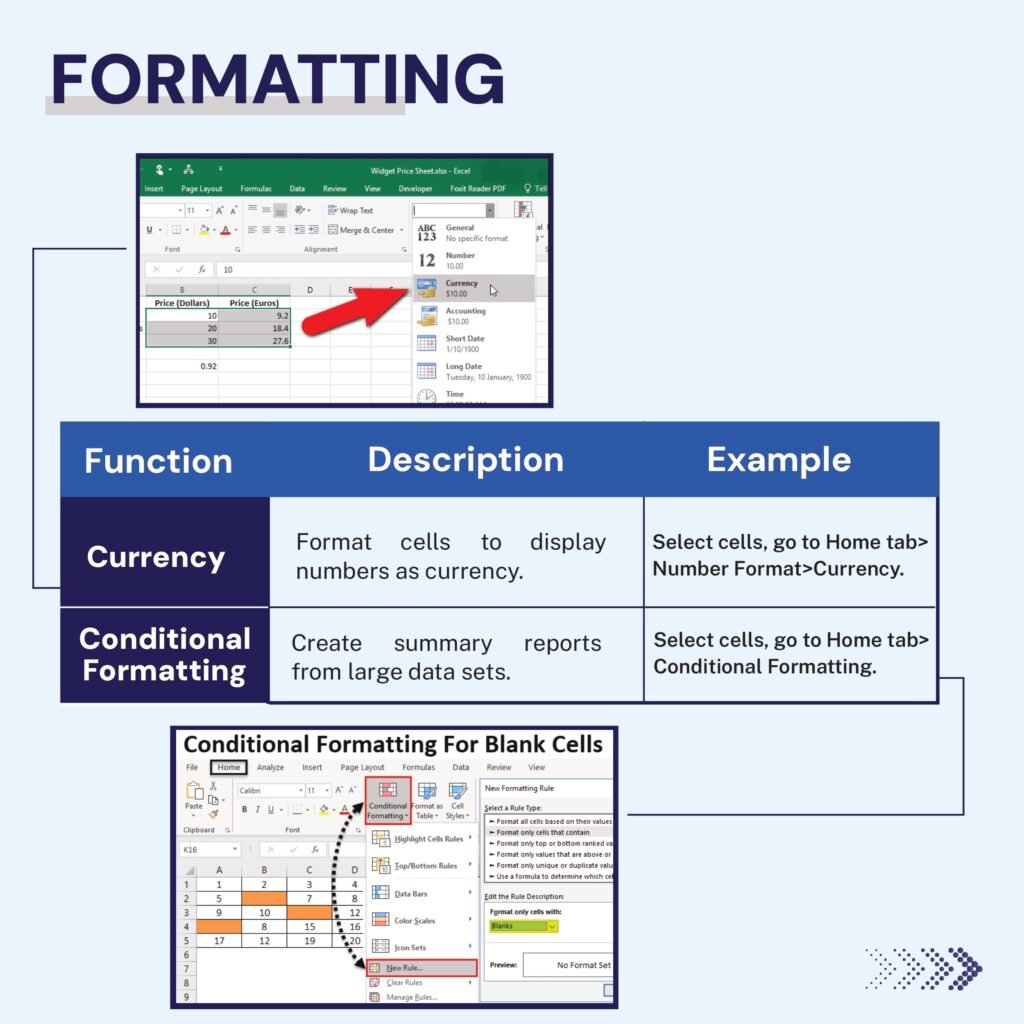
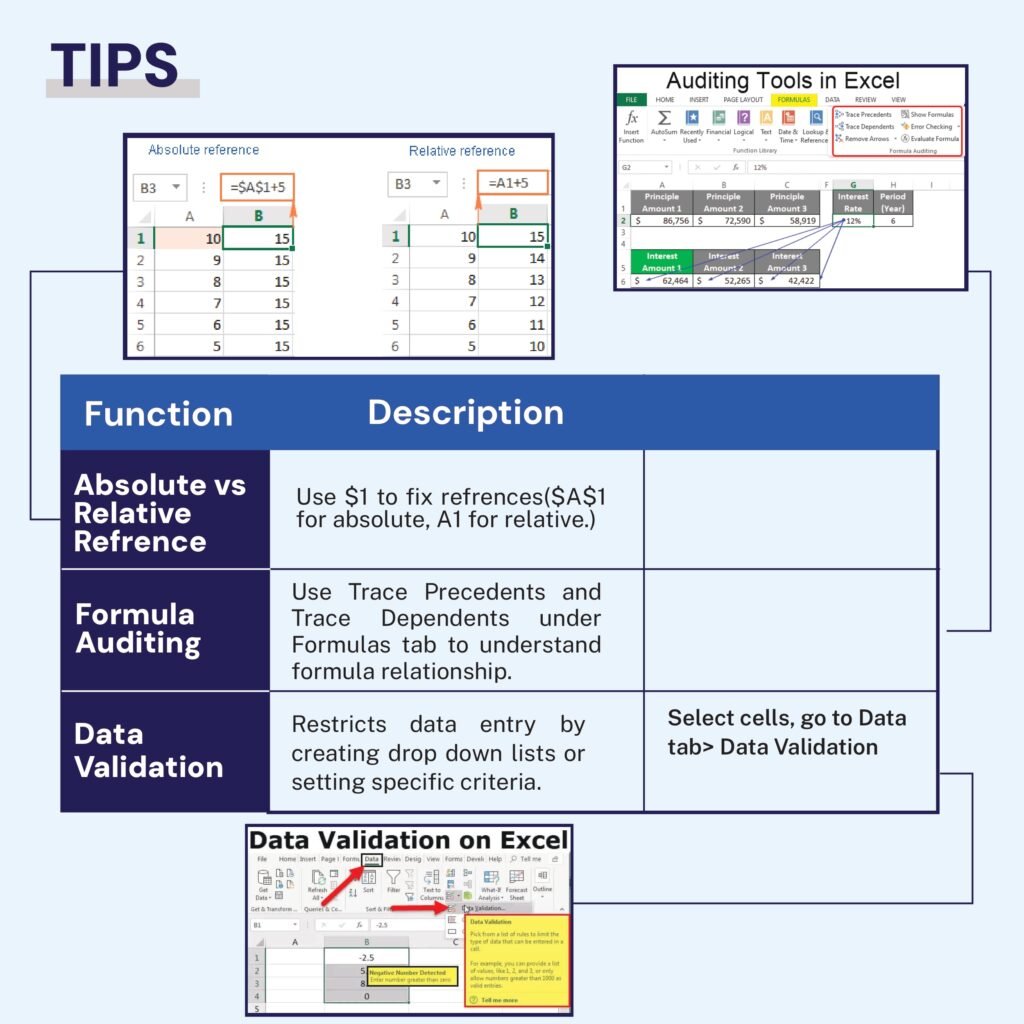
Whether you are a seasoned accountant or new to the field, this cheat sheet aims to boost your productivity.
The Content
The PDF document covers a range of topics crucial for accountants, including:
- Commonly used Excel formulas (SUM, IF, VLOOKUP, etc.)
- Formatting tips for cleaner spreadsheets
- Data analysis essentials using Pivot Tables
- Financial modeling techniques
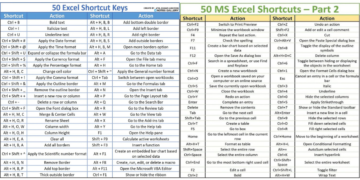
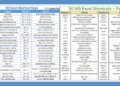
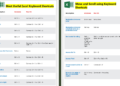
- Keyboard shortcuts to save time
Why the Document
This Excel cheat sheet is more than just a compilation of tips. It’s crafted to empower accountants by simplifying complex processes and making routine tasks effortless. Efficient use of Excel can significantly reduce time spent on data entry, analysis, and reporting, giving you more time to focus on critical decision-making and strategy. By downloading this PDF, you’ll have a valuable resource at your fingertips, enhancing both your speed and accuracy.
Excel for Accountants: Everyday Tasks and the Formulas Behind Them
Accountants use Excel for the same handful of jobs every month. Here is how to do each one quickly and reliably, with formulas you can adapt to your own ledgers.
Build a trial balance from a general-ledger export
With the GL export in a Table called GL (columns Account, Debit, Credit), list each account once with =UNIQUE(GL[Account]) and calculate its balance next to it:
=SUMIFS(GL[Debit],GL[Account],A2)-SUMIFS(GL[Credit],GL[Account],A2)
The total of the balance column should be zero. Add a check cell such as =IF(ROUND(SUM(B2:B200),2)=0,"Balanced","Check!").
Bank reconciliation: find unmatched items
Put the bank statement and the cash book side by side. Next to each bank line, flag whether the amount exists in the cash book:
=IF(COUNTIF(Book[Amount],[@Amount])=0,"Unmatched","")
Filter on “Unmatched” and review the dates of the remaining items to see outstanding deposits, bank charges and errors. Repeat the formula in the other direction to find unpresented cheques.
Accounts-receivable aging buckets
With invoice due dates in column C, calculate the days overdue and assign a bucket:
- Days overdue:
=MAX(0,$H$1-C2), where H1 holds the report date. - Bucket:
=IFS(D2=0,"Current",D2<=30,"1-30",D2<=60,"31-60",D2<=90,"61-90",TRUE,"90+")
Then summarise by customer and bucket with a PivotTable.
Accounting-friendly formatting
| Task | How |
|---|---|
| Accounting number format (aligned currency symbols, dashes for zero) | Home › Number › Accounting, or Ctrl + 1 › Accounting |
| Show negatives in brackets | Ctrl + 1 › Custom: #,##0;(#,##0);"-" |
| Show figures in thousands | Custom format #,##0, (a trailing comma divides the display by 1,000) |
| Avoid rounding differences in totals | Wrap calculations with =ROUND(value,2) before summing |
| Highlight differences | Conditional formatting rule: cell value not equal to 0 |
Month-end helpers
=EOMONTH(A2,0)returns the last day of the month for accruals and cut-off checks.=EDATE(A2,12)moves a date forward 12 months (prepayment and lease schedules).=SLN(cost,salvage,life)gives straight-line depreciation for a fixed-asset register.=TEXT(A2,"mmm-yy")creates period labels for reports and PivotTables.
Controls that auditors like to see
- A visible check row on every schedule (totals agree to the trial balance).
- Inputs separated from calculations, and source files referenced in a notes column.
- Protected formula cells (Review › Protect Sheet) on shared files.
- No hard-coded “plugs”: every adjustment documented on its own line.
Frequently Asked Questions
Which Excel functions do accountants use most?
SUMIFS, XLOOKUP or VLOOKUP, IF/IFS, ROUND, EOMONTH, COUNTIFS and PivotTables cover most accounting work. Power Query is increasingly used to clean ERP exports.
How do I show negative numbers in brackets in Excel?
Select the cells, press Ctrl + 1, choose Custom and enter #,##0;(#,##0). Add ;"-" at the end to show a dash for zero.
Related guides
- Finance Excel Guidelines for Accountants
- Financial Analysis Using Excel PDF
- Top Excel Formulas for Finance Grads PDF
Conclusion
In the fast-paced world of accounting, mastering Excel can set you apart. Our Excel cheat sheet for accountants PDF provides a robust toolkit to help you navigate through various Excel functionalities with ease. Whether you aim to refine your basics or delve into advanced features, this guide caters to all.
Download PDF
Ready to streamline your accounting tasks? Click the link below to download your free Excel cheat sheet PDF and start optimizing your workflow today!