Introduction
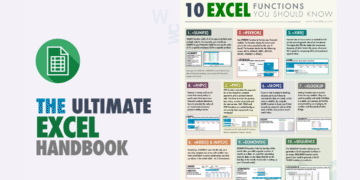
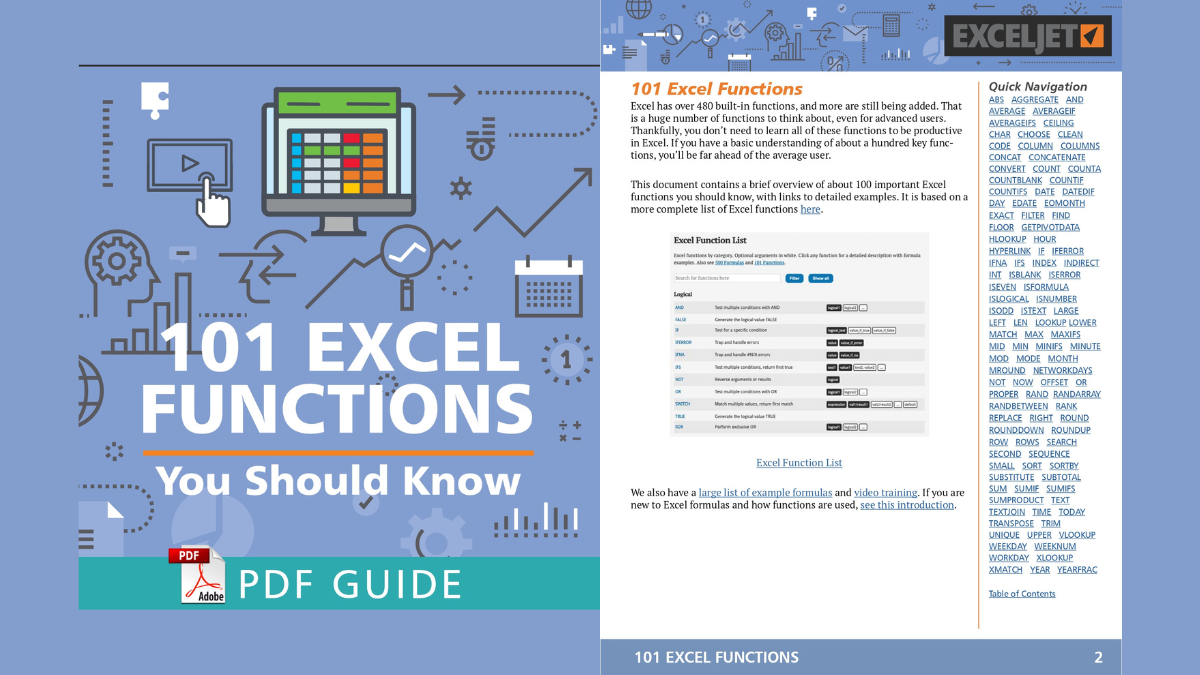
Excel is an incredibly powerful tool used for various data management and analysis tasks. Whether you are a beginner or an experienced user, understanding the fundamental Excel functions can significantly enhance your productivity. In this blog post, we will introduce you to a comprehensive document titled ‘101 Excel Functions You Should Know PDF’ that you can download and use as a reference guide.
Overview of the Document
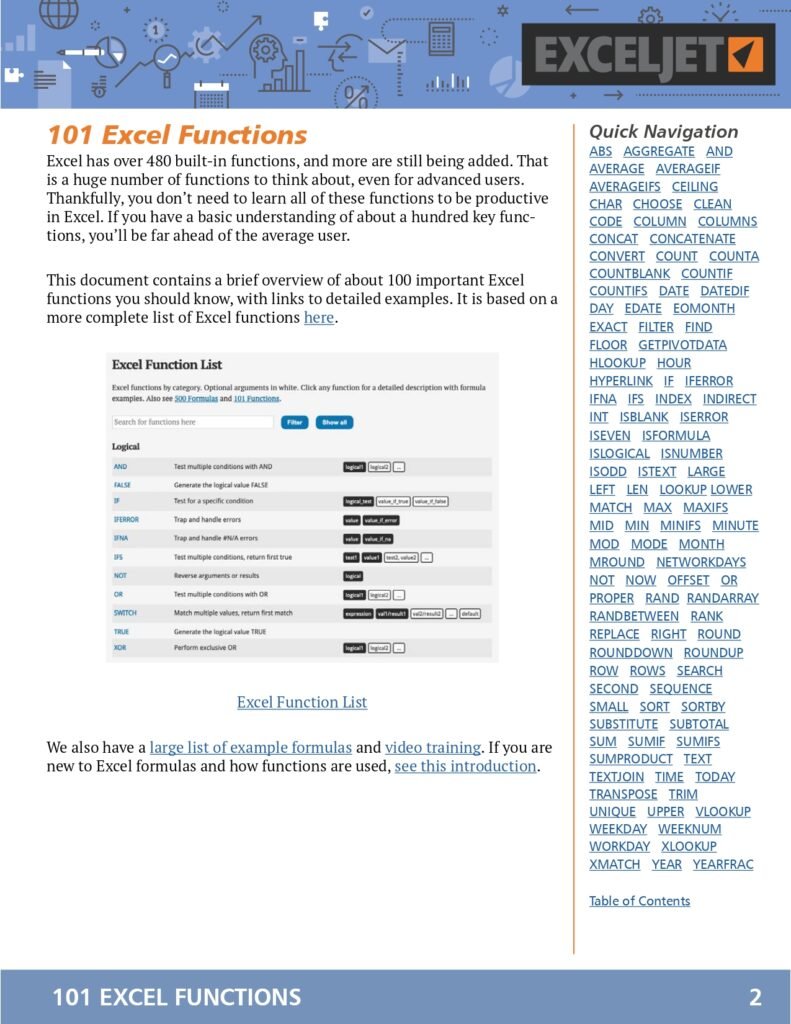
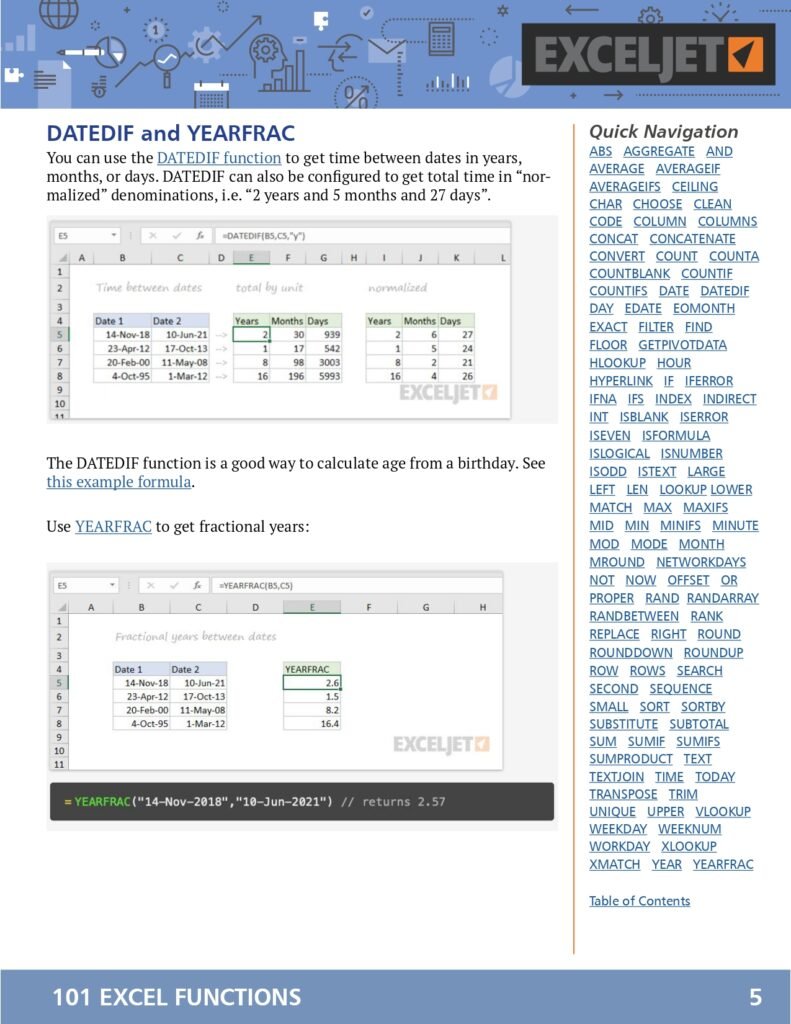
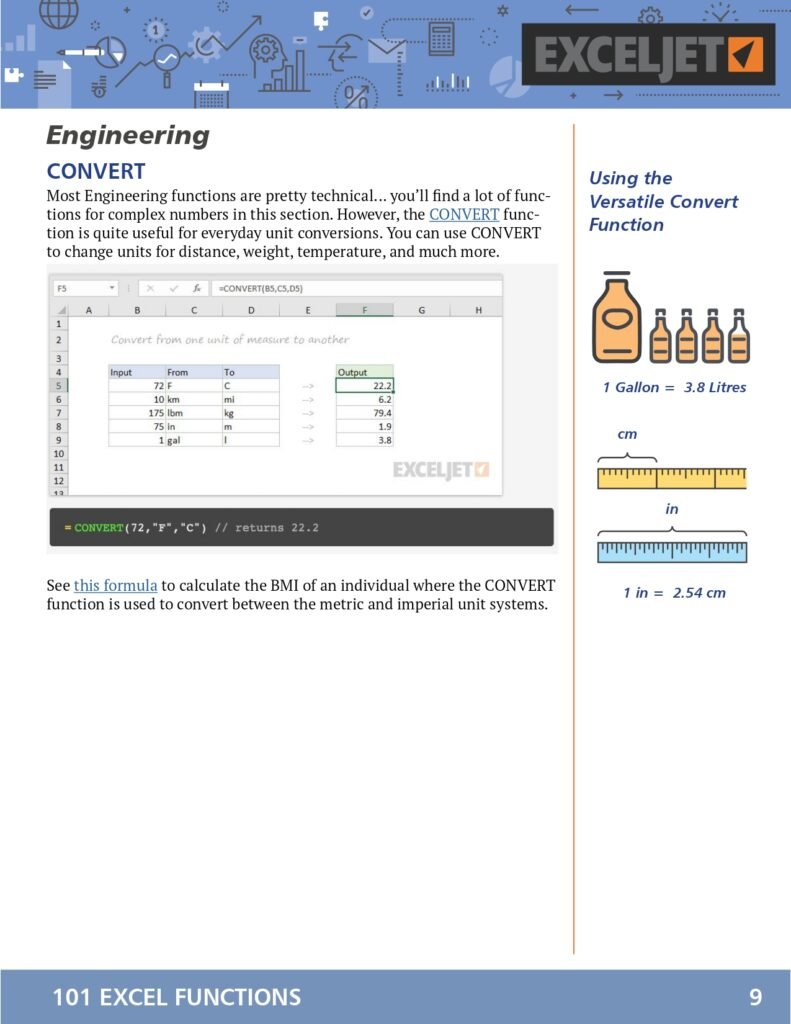
The ‘101 Excel Functions You Should Know PDF’ is a meticulously compiled resource designed to help users navigate through Excel with ease. The document covers a wide array of Excel functions, from basic to advanced, and provides clear explanations and examples for each function. This guide is perfect for anyone looking to improve their Excel skills and make the most out of this versatile software.




The Content
The PDF document includes detailed descriptions and practical applications of 101 essential Excel functions. Some of the key functions covered in the document are:
- 101 Excel Functions
- Date and Time Functions
- Engineering
- Information Functions
- Logical Functions
- Lookup and Reference Functions
- STATISTICAL Functions
- MATH Functions
- TEXT Functions
- Dynamic Array Functions
- More Resources
Each function is explained with step-by-step instructions and real-world examples, making it easy for users to understand and apply them in their work.
Why the Document?
This PDF document is an invaluable resource for anyone who regularly works with Excel. By having a comprehensive guide to the most commonly used Excel functions, you can save time, reduce errors, and improve your overall efficiency. Whether you are a student, professional, or casual user, this document will provide you with the knowledge you need to leverage the full potential of Excel.
Which Excel Function Should I Use? A Decision Guide
With more than 450 functions in Excel, the hard part is often choosing the right one. Use this guide to go from the problem you have to the function that solves it, then look up the details in the 101-function PDF.
“I need to add, count or average…”
| If you need to… | Use | Instead of |
|---|---|---|
| Add everything | SUM | Typing =A1+A2+A3… |
| Add only rows that meet conditions | SUMIFS | Filtering and adding by hand |
| Count rows that meet conditions | COUNTIFS | COUNTIF nested several times |
| Count non-empty cells | COUNTA | COUNT (which counts numbers only) |
| Average with conditions | AVERAGEIFS | Manual filtering |
| Add visible (filtered) rows only | SUBTOTAL(109, range) or AGGREGATE | SUM, which includes hidden rows |
“I need to find a value in a table…”
| Situation | Best function |
|---|---|
| Microsoft 365 / Excel 2021+ | XLOOKUP: exact match by default, looks left or right, built-in “not found” |
| Older versions, or when the column position changes | INDEX + MATCH |
| Return several matching rows | FILTER |
| Find a value in a sorted range of bands (tax brackets, commission tiers) | XLOOKUP with match_mode -1, or VLOOKUP with TRUE |
“I need to make a decision in a formula…”
- One condition: IF.
- Several conditions in order: IFS (cleaner than nested IFs).
- Match one value against a list of options: SWITCH, e.g.
=SWITCH(A2,"N","North","S","South","Other"). - Combine tests: AND, OR, NOT.
- Hide errors: IFERROR (or IFNA to hide only #N/A from lookups).
“I need to work with text…”
- Remove extra spaces: TRIM; remove non-printing characters: CLEAN.
- Split text: TEXTSPLIT (Microsoft 365), or LEFT / MID / RIGHT with FIND.
- Join text: TEXTJOIN with a delimiter, or CONCAT.
- Extract the text before or after a character: TEXTBEFORE and TEXTAFTER (Microsoft 365), e.g.
=TEXTAFTER(A2,"@")returns the domain of an email address.
“I need to work with dates…”
- Today’s date: TODAY. Working days between two dates: NETWORKDAYS.
- Add months: EDATE. End of month: EOMONTH.
- Add working days: WORKDAY, e.g. a due date 10 business days after an invoice.
- Age or tenure in full years: DATEDIF(start, end, “Y”).
Newer functions worth learning (Microsoft 365)
| Function | What it does |
|---|---|
| LET | Names intermediate results inside a formula, so long formulas are shorter and faster |
| LAMBDA | Creates your own reusable function |
| VSTACK / HSTACK | Stack ranges on top of each other or side by side |
| TAKE / DROP | Keep or remove the first or last N rows |
| CHOOSECOLS | Return only the columns you want, in the order you want |
| SORTBY | Sort one range by the values in another |
Frequently Asked Questions
How many functions are there in Excel?
Microsoft 365 includes more than 450 worksheet functions. Most people use 20 to 40 of them regularly, which is why a curated list of 101 covers almost every practical need.
What is the difference between a formula and a function?
A formula is anything you type that starts with =. A function is a built-in, named calculation such as SUM or XLOOKUP that you use inside a formula.
Related guides
Conclusion
In conclusion, mastering Excel functions can open up a world of possibilities for data management and analysis. The ‘101 Excel Functions You Should Know PDF’ is a must-have resource for anyone looking to enhance their Excel skills. Don’t miss out on this opportunity to become an Excel expert.
Download PDF
To download the ‘101 Excel Functions You Should Know PDF’, click on the link below: